Google Cloud Load Balancing
Header
Project Overview
As a core networking service, Load Balancing (LB) plays a crucial role in maintaining the health of Google Cloud applications by efficiently distributing network traffic across various infrastructure layers. Despite its importance, the Google Cloud Load Balancing product struggled with market share due to its complexity. To address this, I spearheaded a 2.5-year redesign project, working with over 150 team members to deliver a series of successful launches aimed at enhancing simplicity and ease-of-use.

Key achievements include:
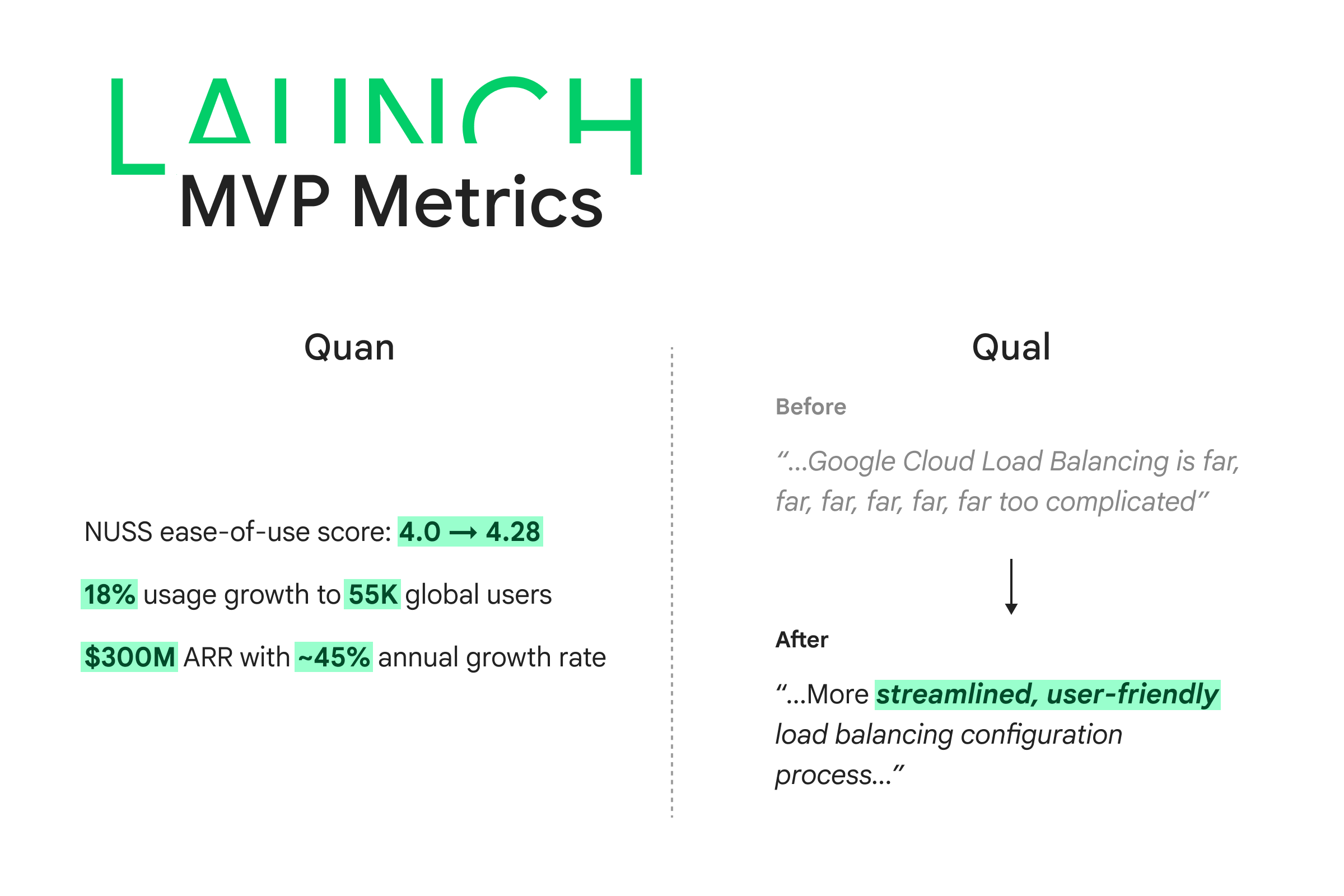
- NUSS ease-of-use score: 4.0 -> 4.28
- 18% usage growth to 55K active global users
- $300M ARR with ~45% annual growth rate
Project Type: Β Product redesign
Role: Β Design lead
Duration: Β Jun. 2023 - Dec. 2025
Tool: Β Figma, Gemini Studio
Basic 101

Technical lens - What is load balancing?
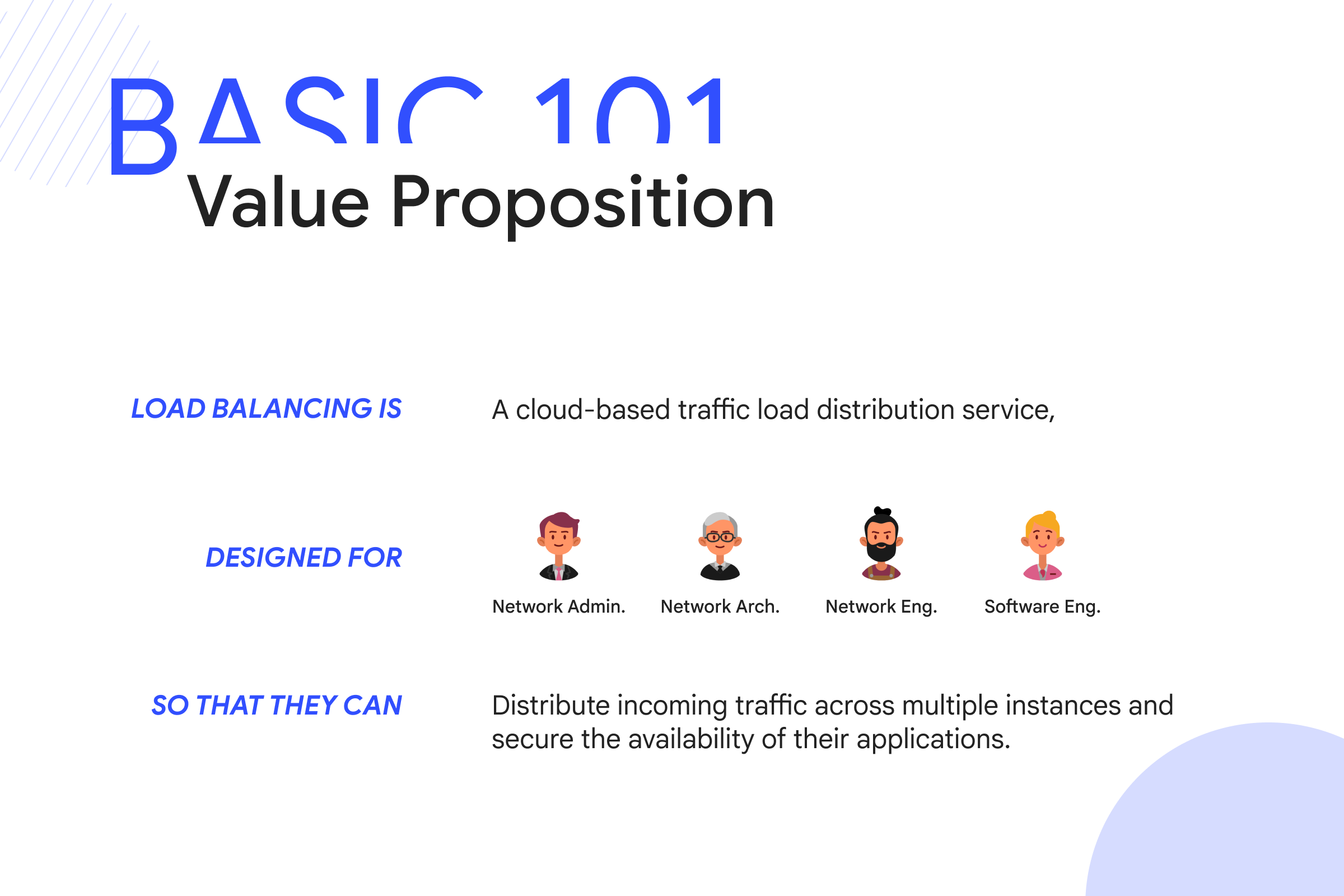
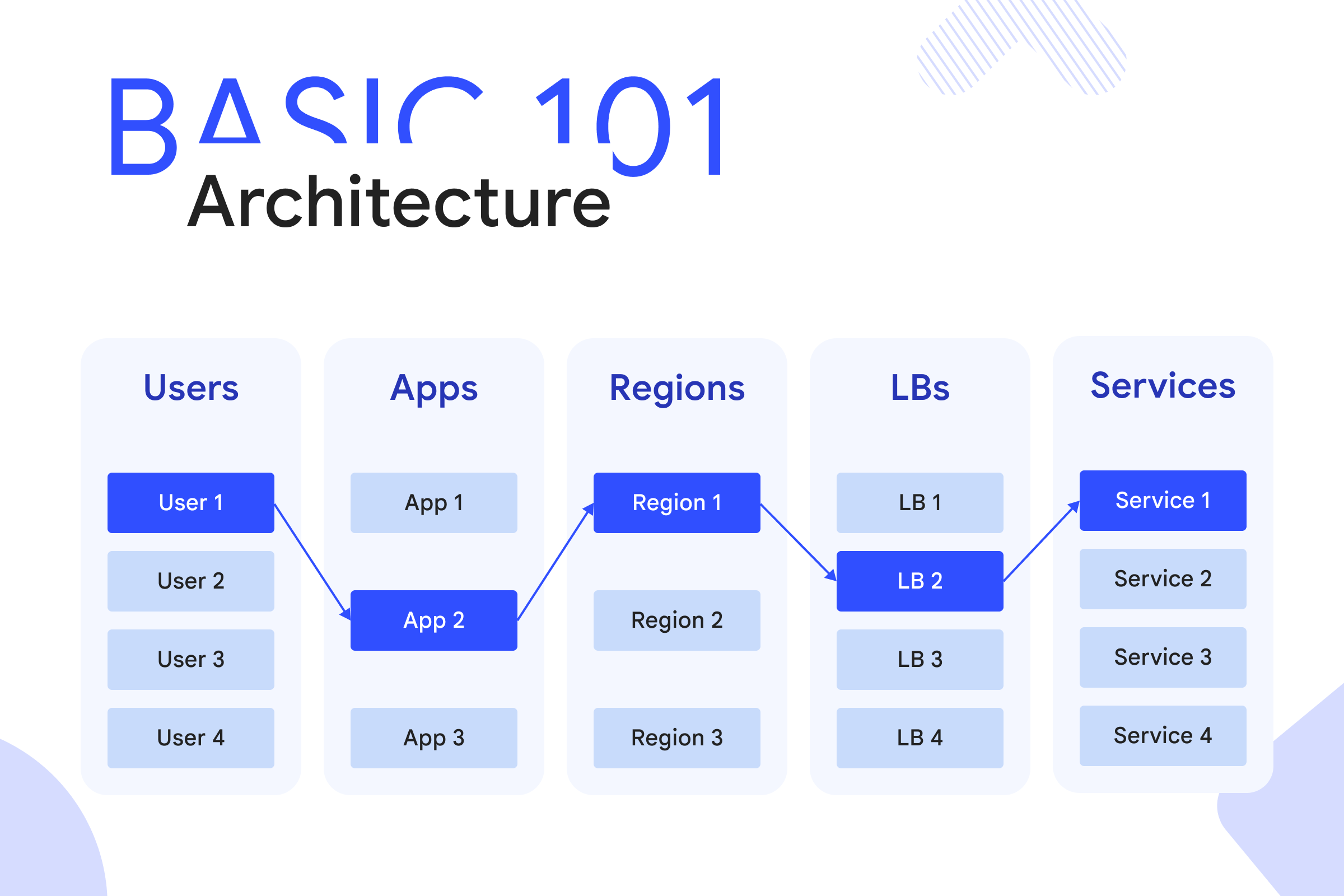
As a core networking service of Google Cloud Platform, load balancing ensures robust client networks by intelligently linking service frontends and backends, agilely distributing traffic across network layers/nodes, and dynamically optimizing networking ecosystem performance.
Business lens - Why is load balancing so important?
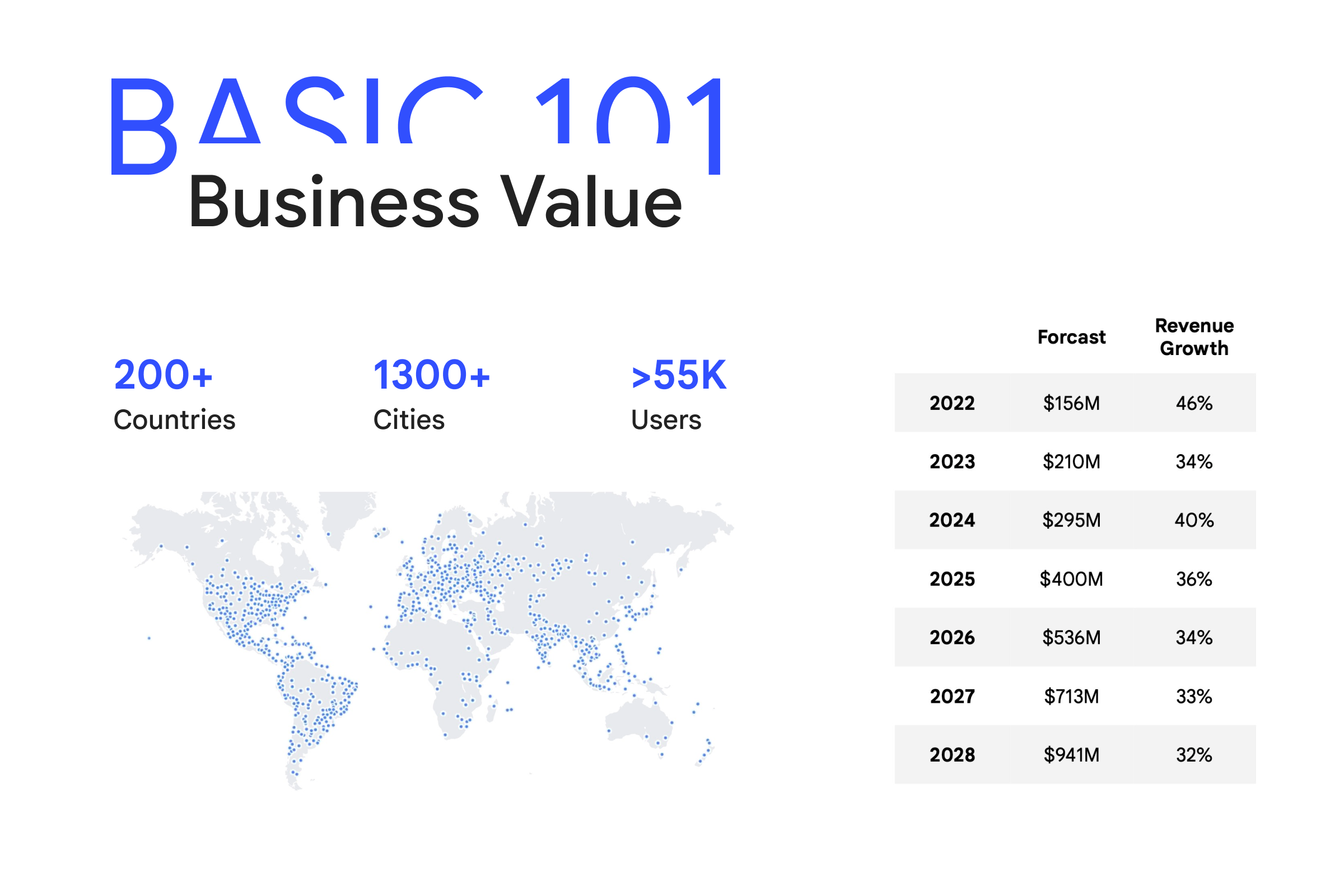
As a key revenue driver for GCP networking, load balancing currently supports over 55,000 active users worldwide. It not only secures more than $4 million in annual revenue for Google but also establishes a strong user base for the future.

Problems

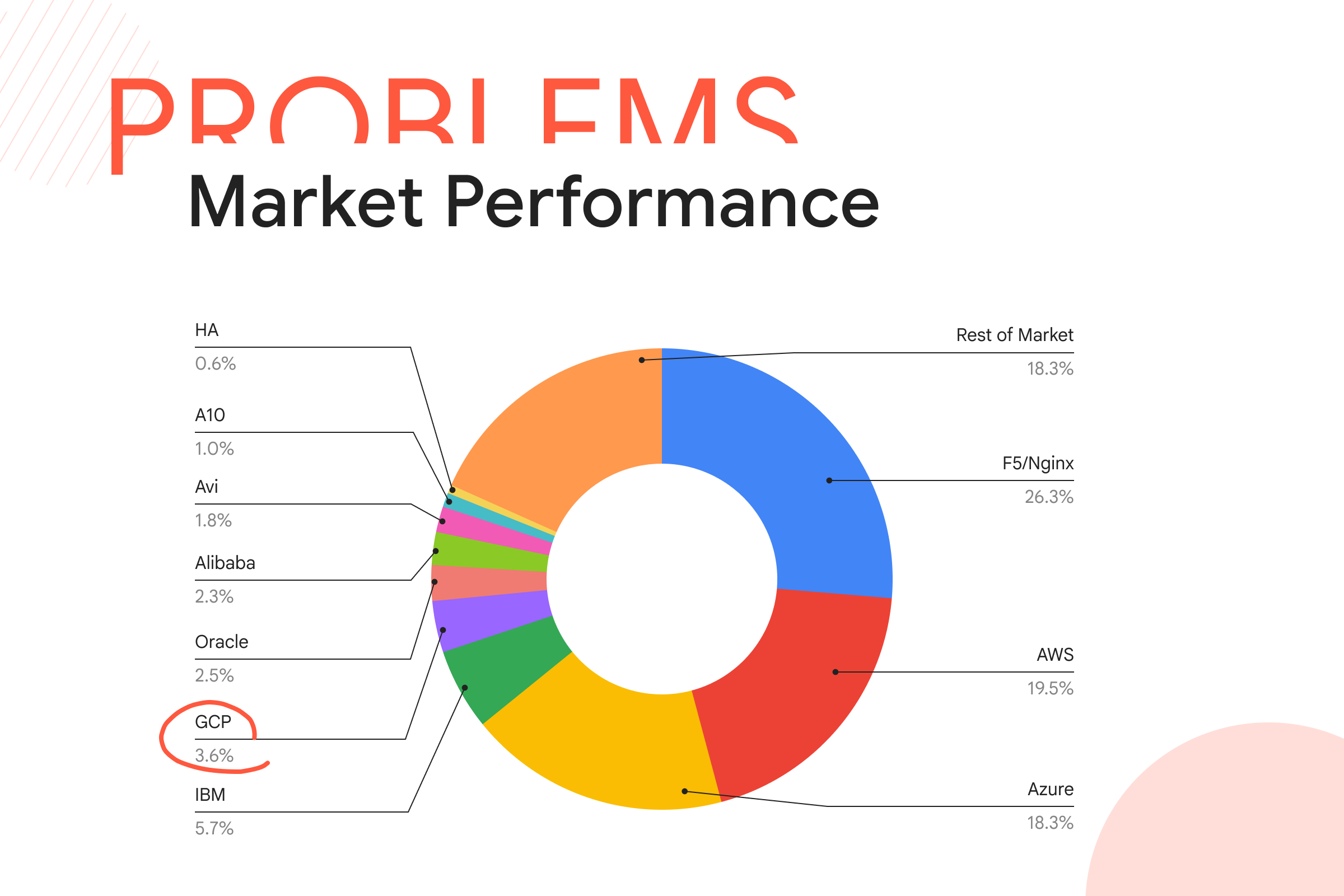
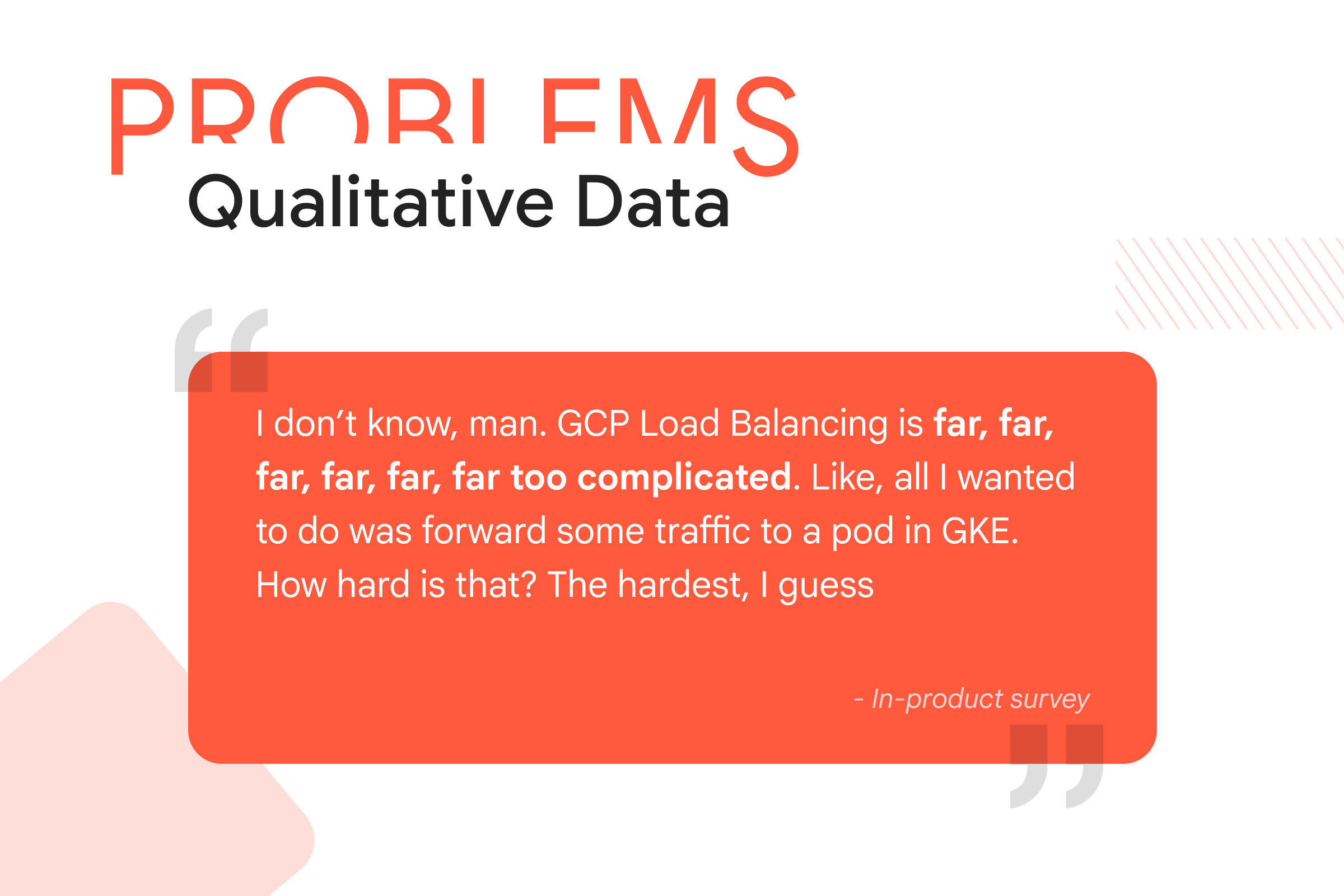
Goal - Simplify the Complex LB configuration experience
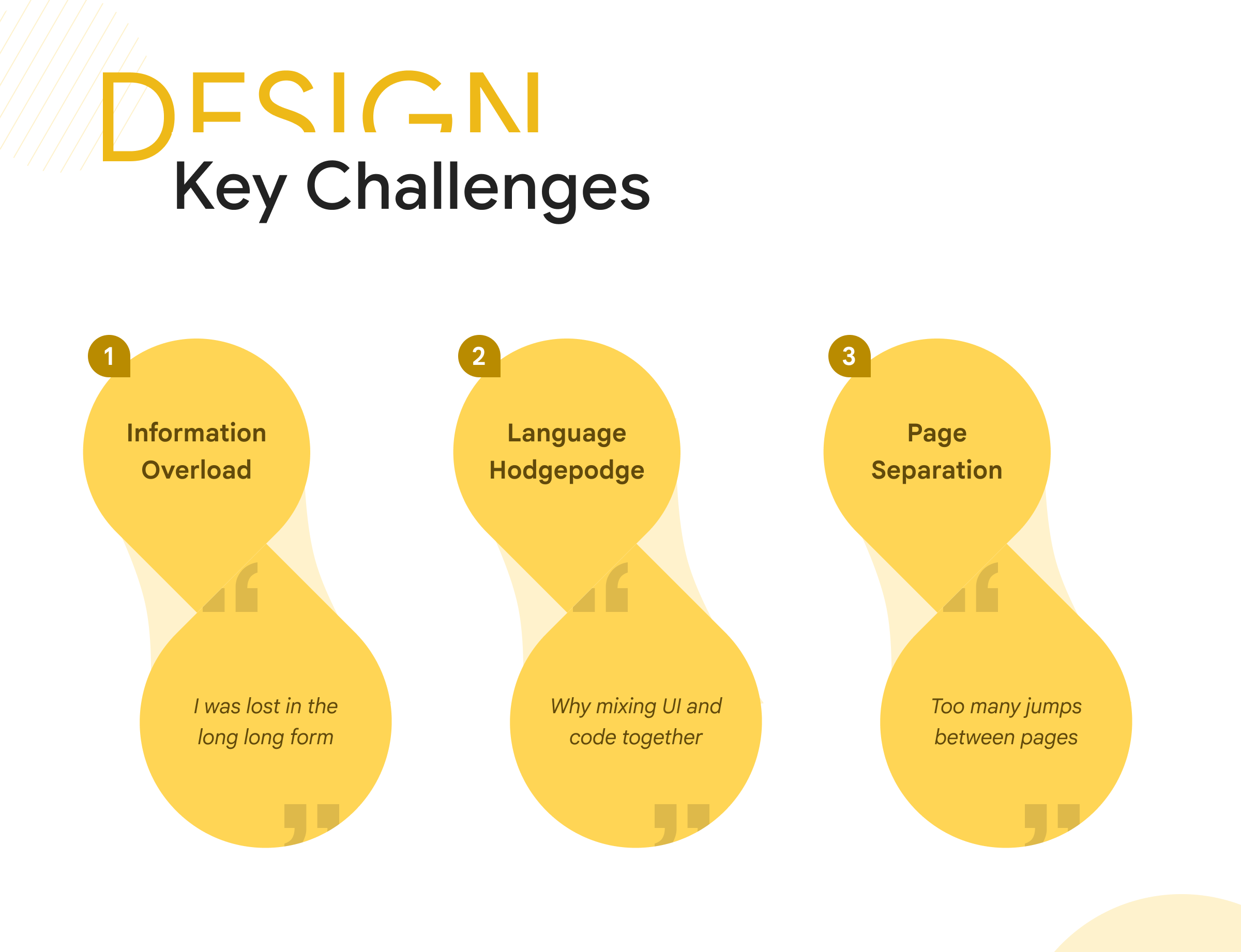
Complexity challenge #1 - Information overload
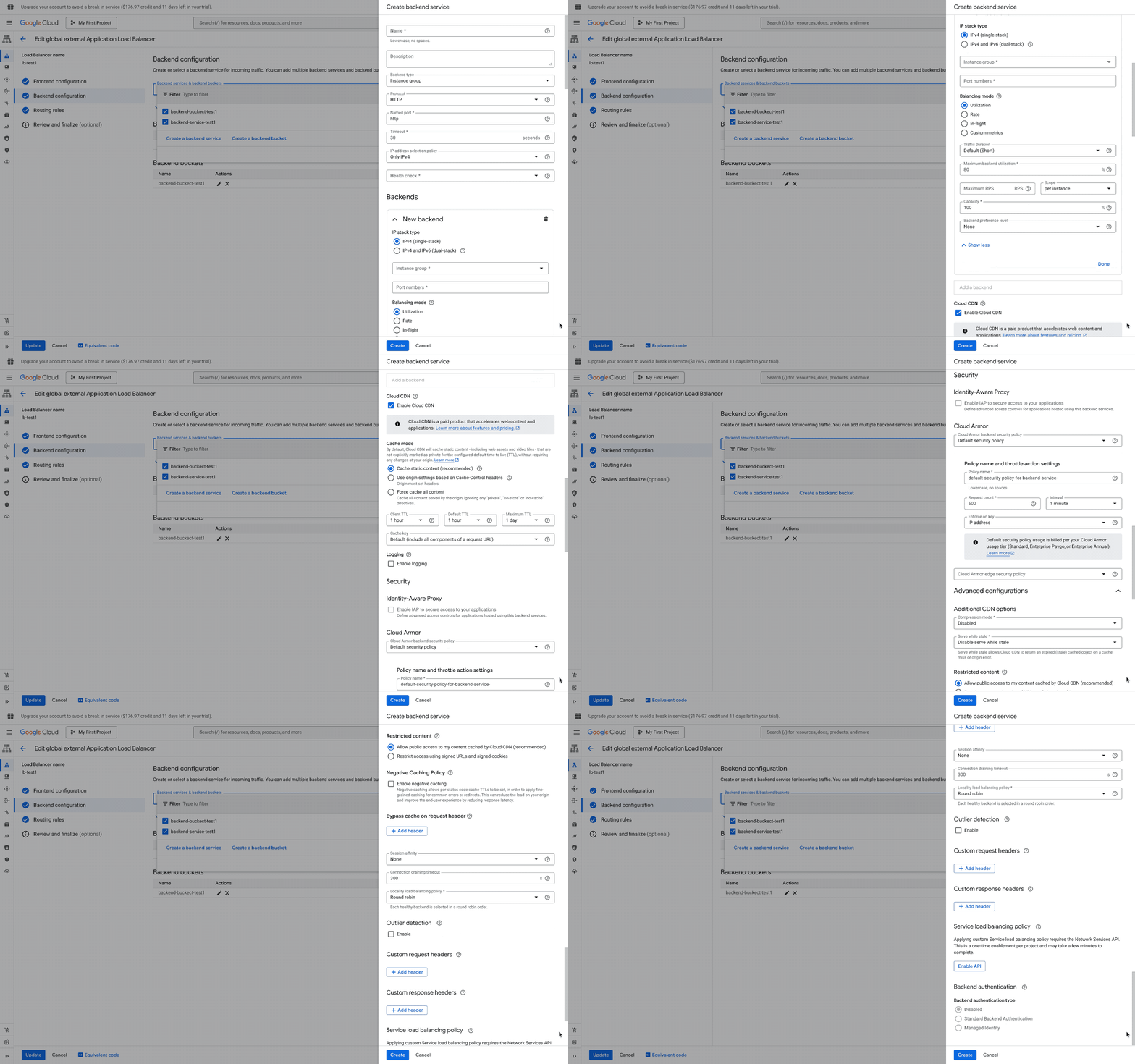
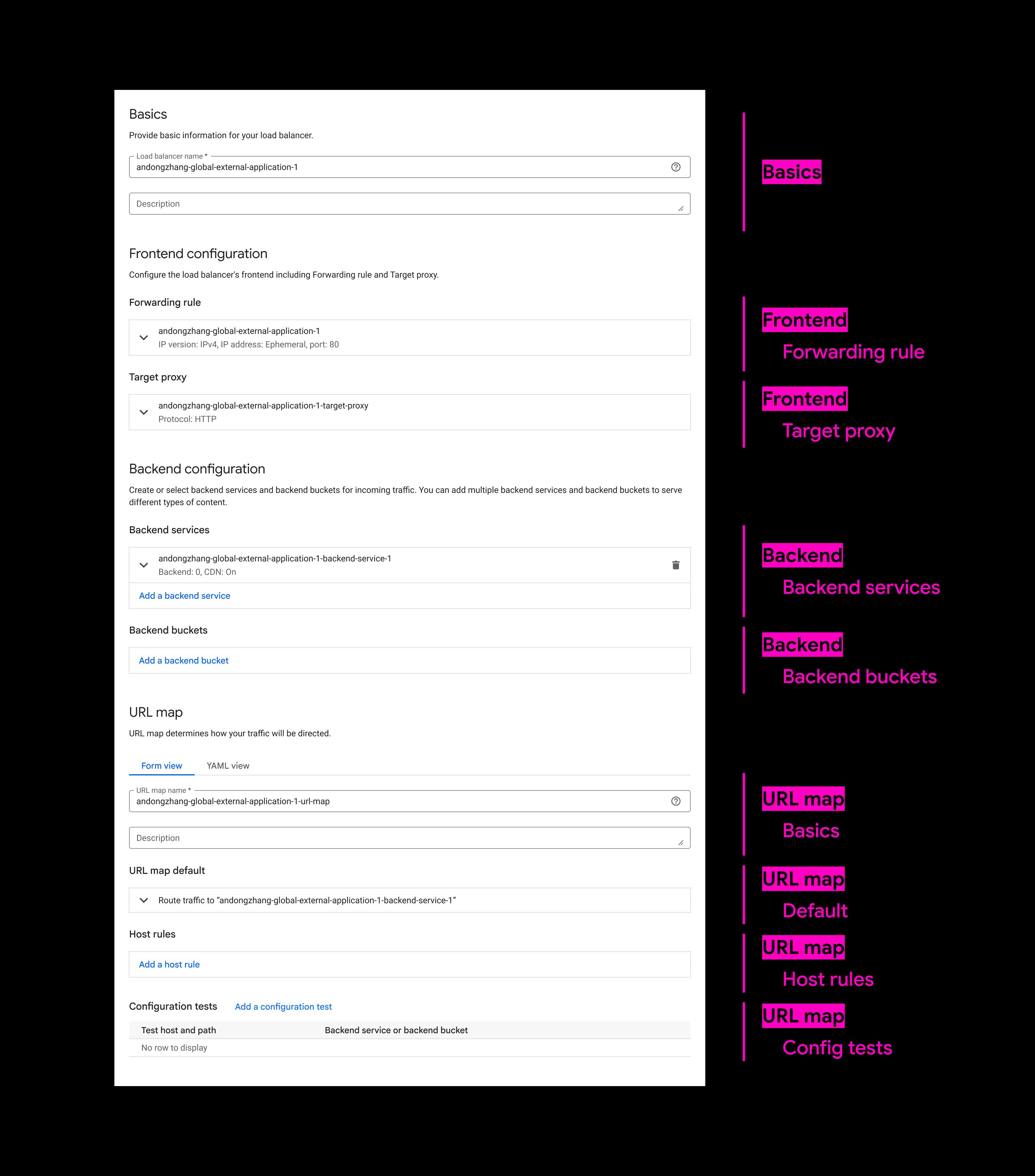
During our research, many users expressed frustration with the endless scrolling while configuring networking settings. The lengthy forms not only hinder users' ability to efficiently search for content but also prevent them from discovering features hidden at the bottom. Moreover, these forms have been getting longer with each new feature launch, inevitably leading to visibility competition among integreated features.
Task - Simplify information architecture
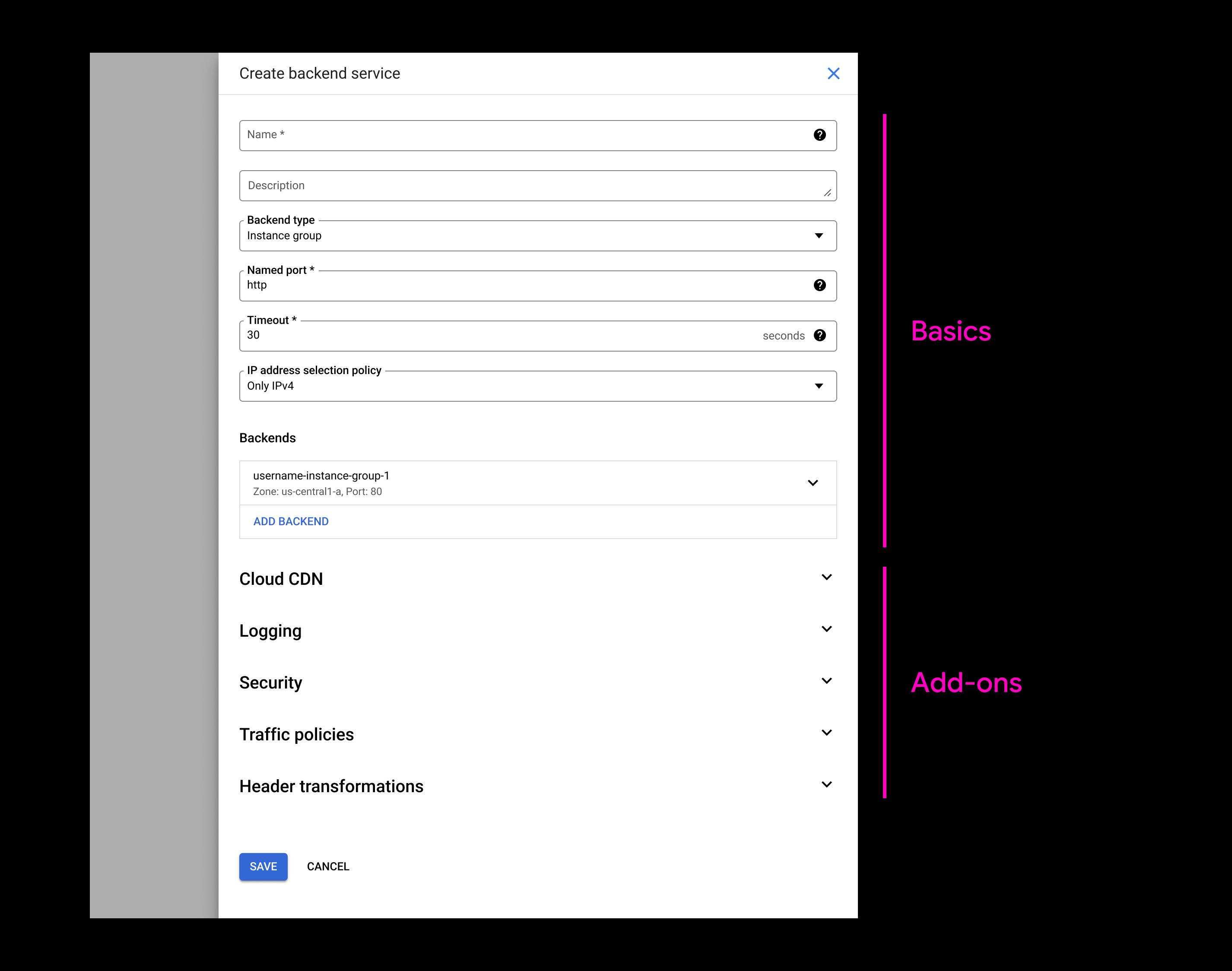
v1 exploration - Foldable sections
In this exploration, I was trying to make long forms less overwhelming by aggregating advanced feature settings into foldable module sections.

πŸ‘
Effectively reduced the vertical space consumption.

πŸ‘Ž
Wasn't performing well in separating "Basic" vs "Add-on" content territories.
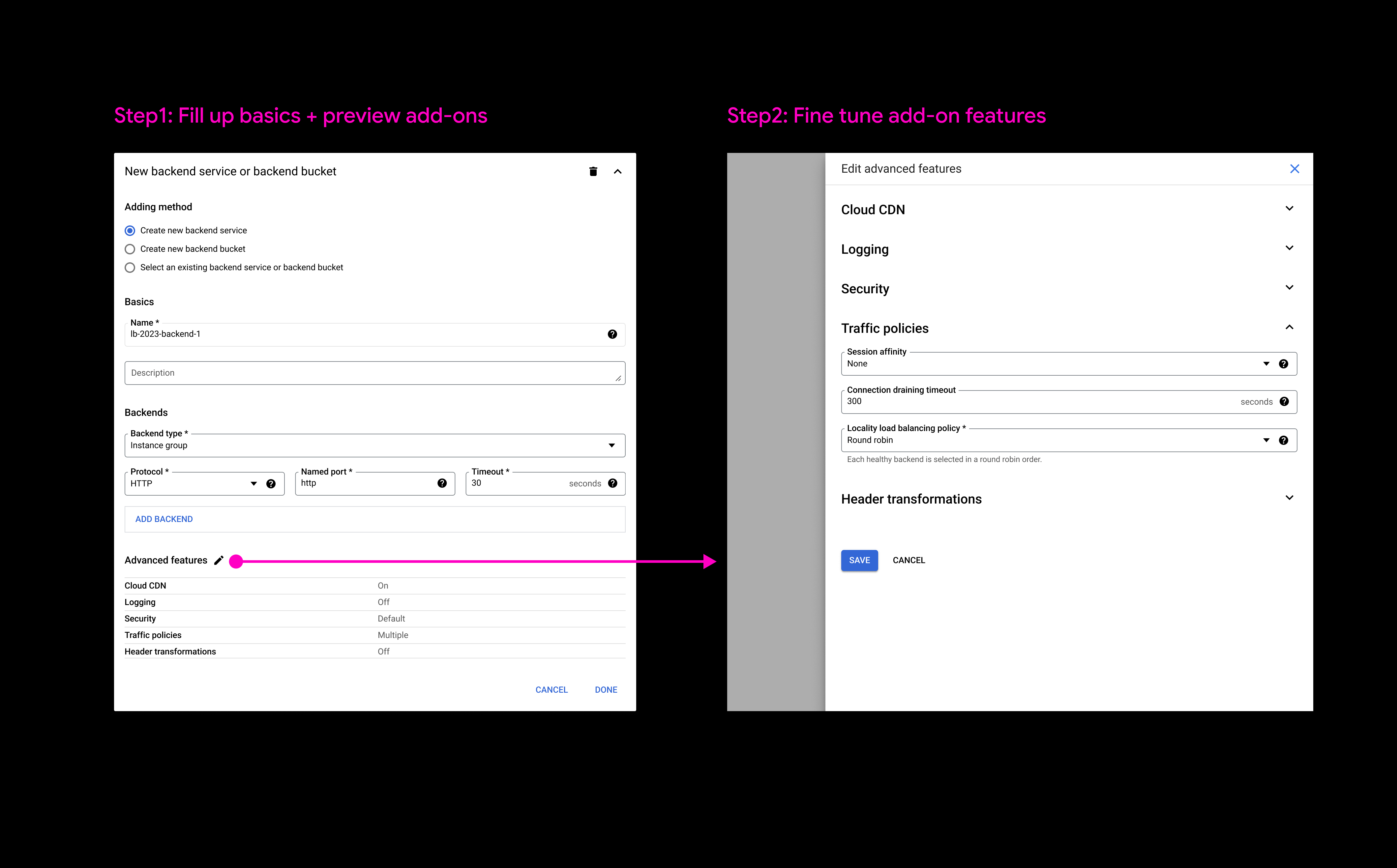
v2 exploration - Preview system
In this iteration, an "Advanced Features" preview section was introduced to prioritize primary settings over additional options.

πŸ‘
Preview system enhances simplicity by allowing quick status check without navigating through the entire form.

πŸ‘Ž
Feedback indicated that the preview's status information was general and limited.
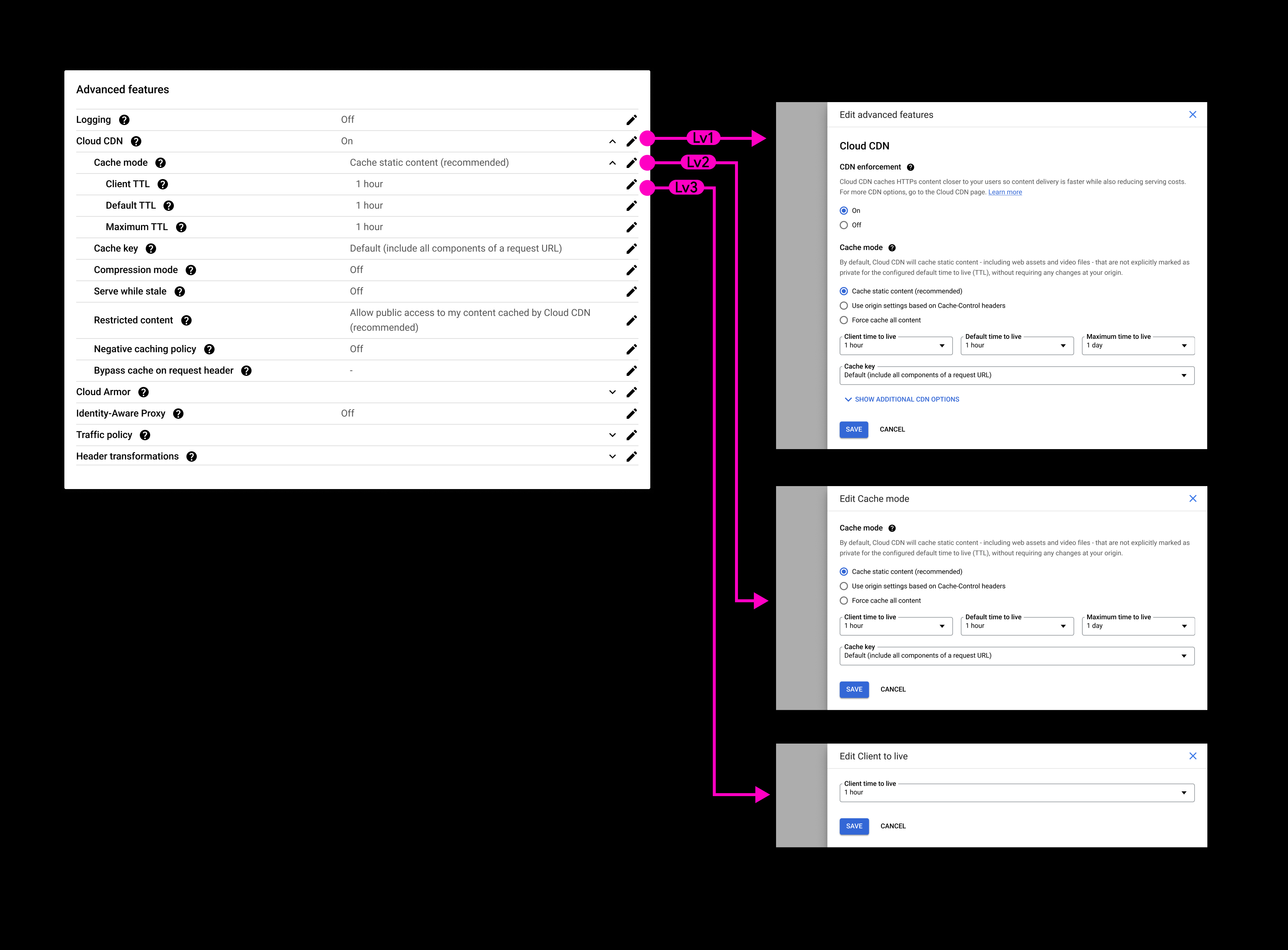
v3 exploration - Cascading preview
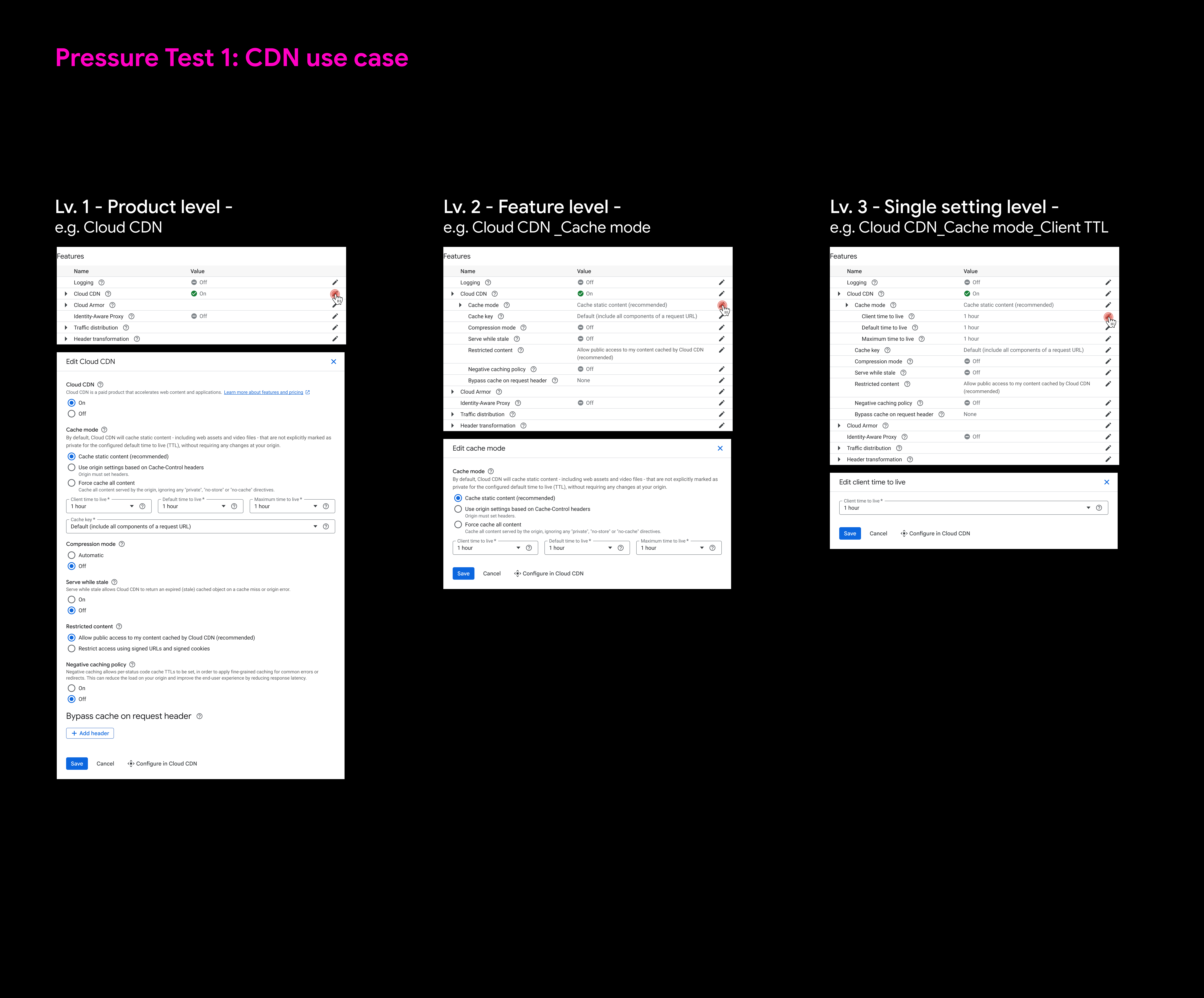
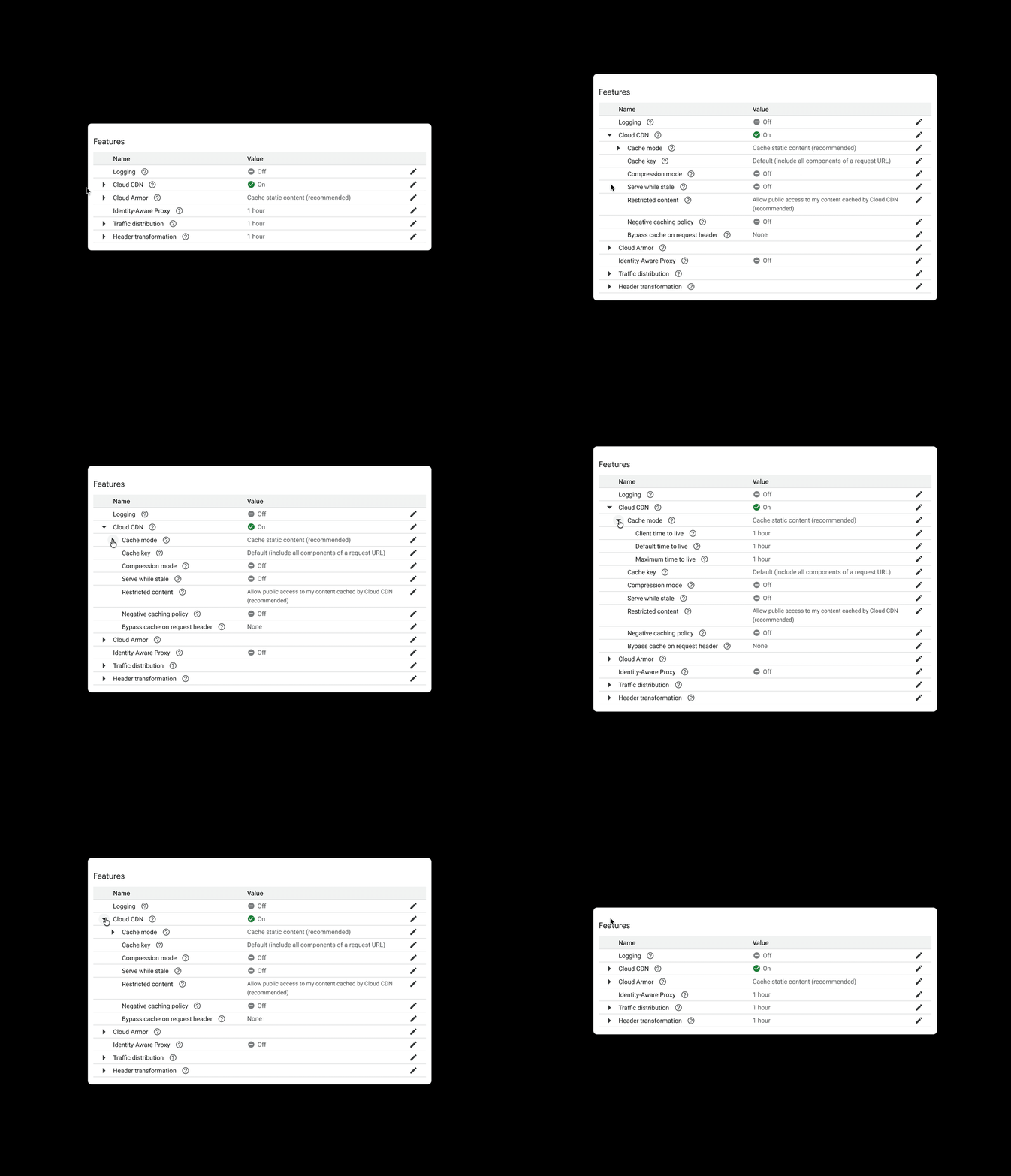
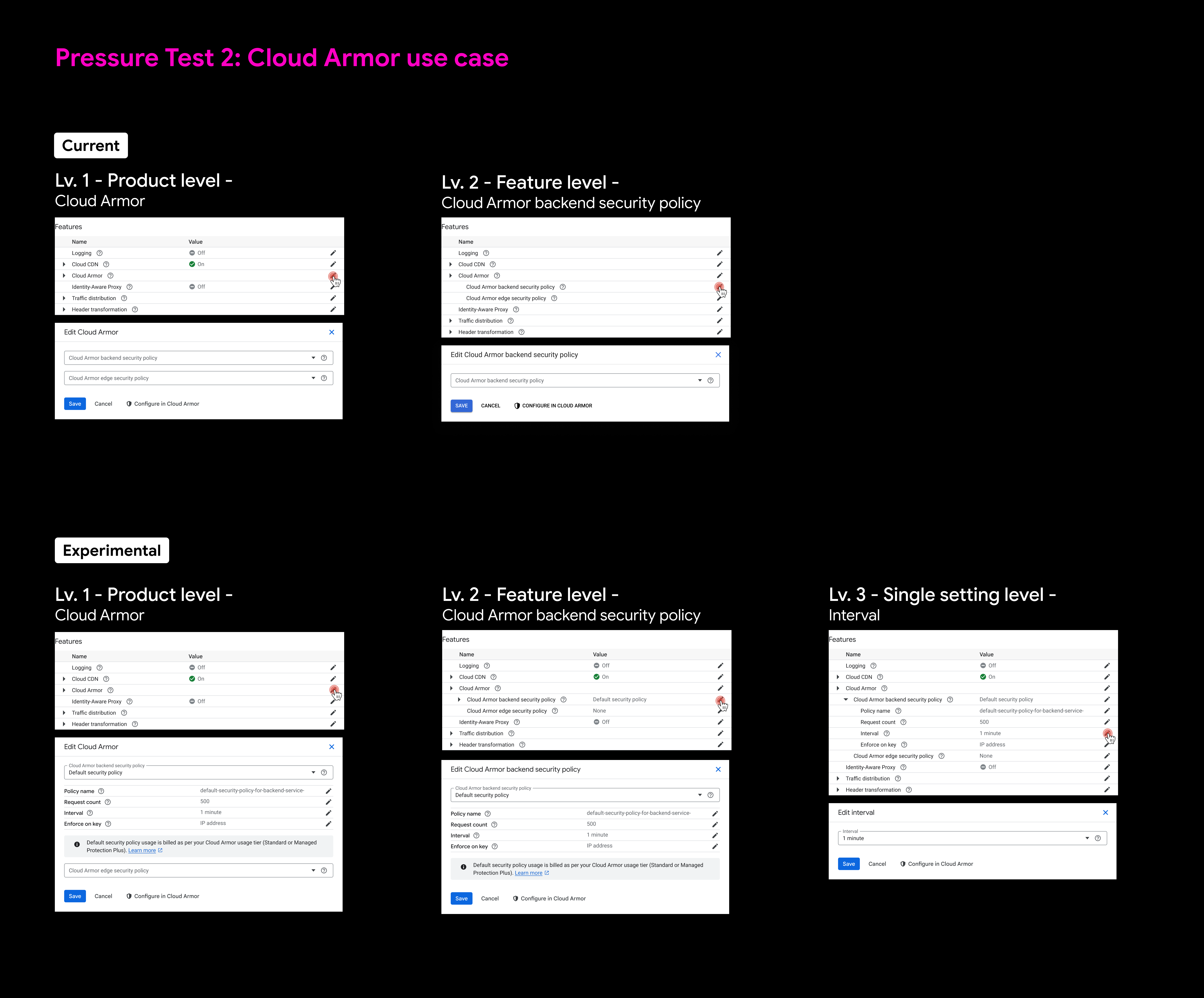
With feedback from v2 in mind, I refined the preview system by creating a 3-level cascading structure that serves both light and heavy users:
‍
🐣
Light users can quickly grasp the status of optional settings at a glance.
‍
πŸ‘¨β€πŸ«
Heavy users can efficiently navigate and tailor feature settings at each hierarchical level.
‍
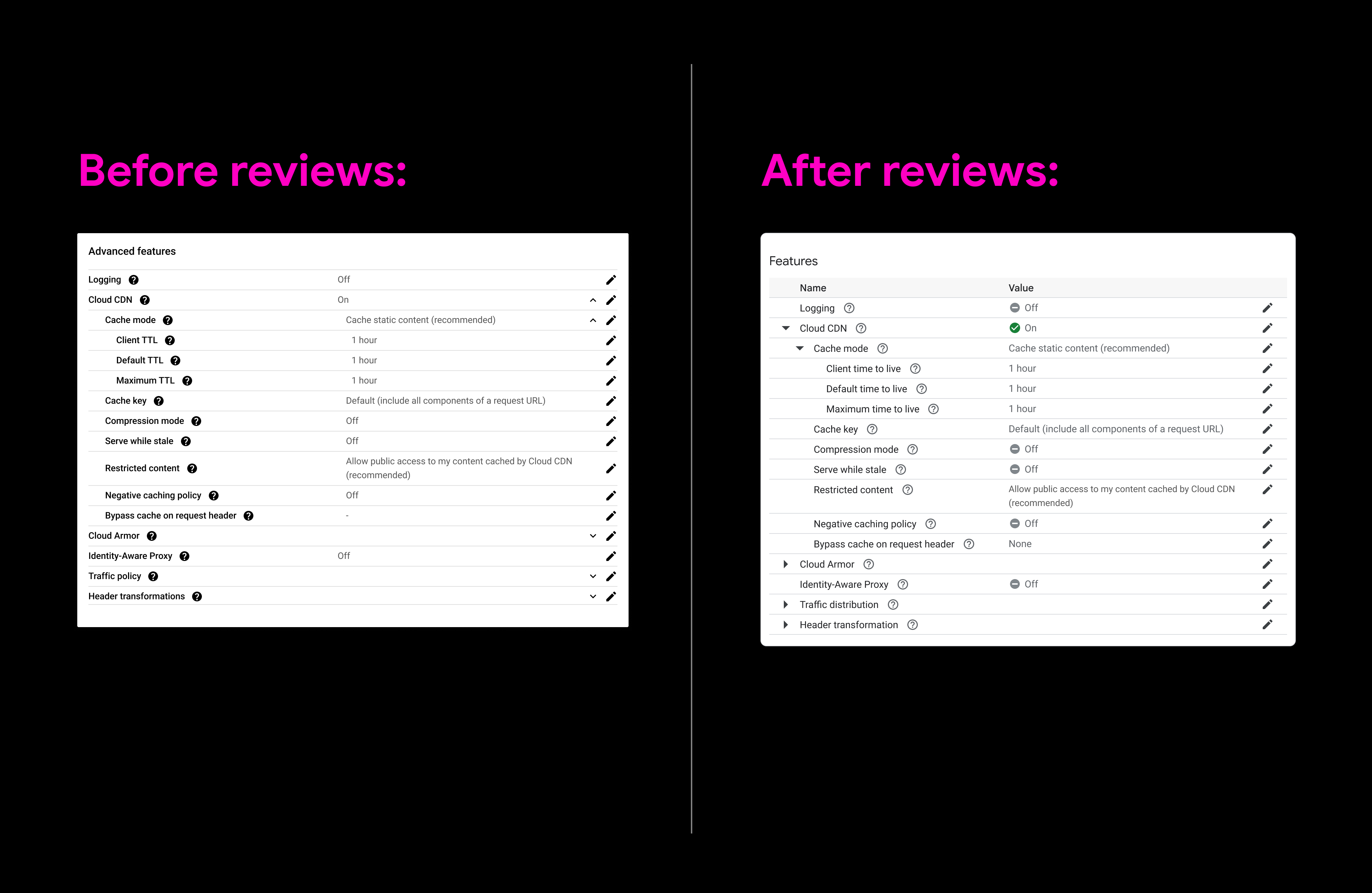
Audit & Finalize - Fine tune the details
Comparison - Before & after
Complexity challenge #2 - Language hodgepodge
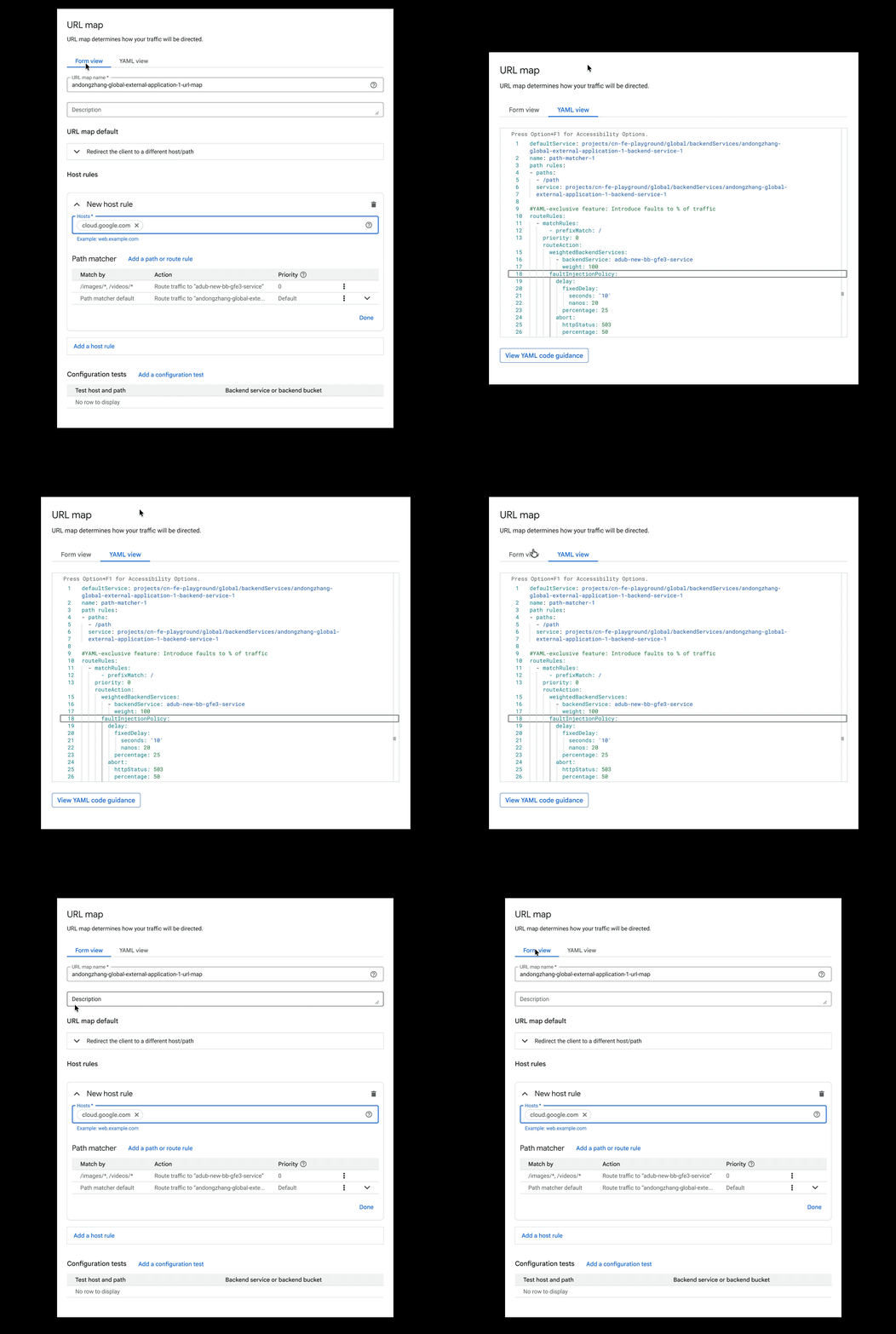
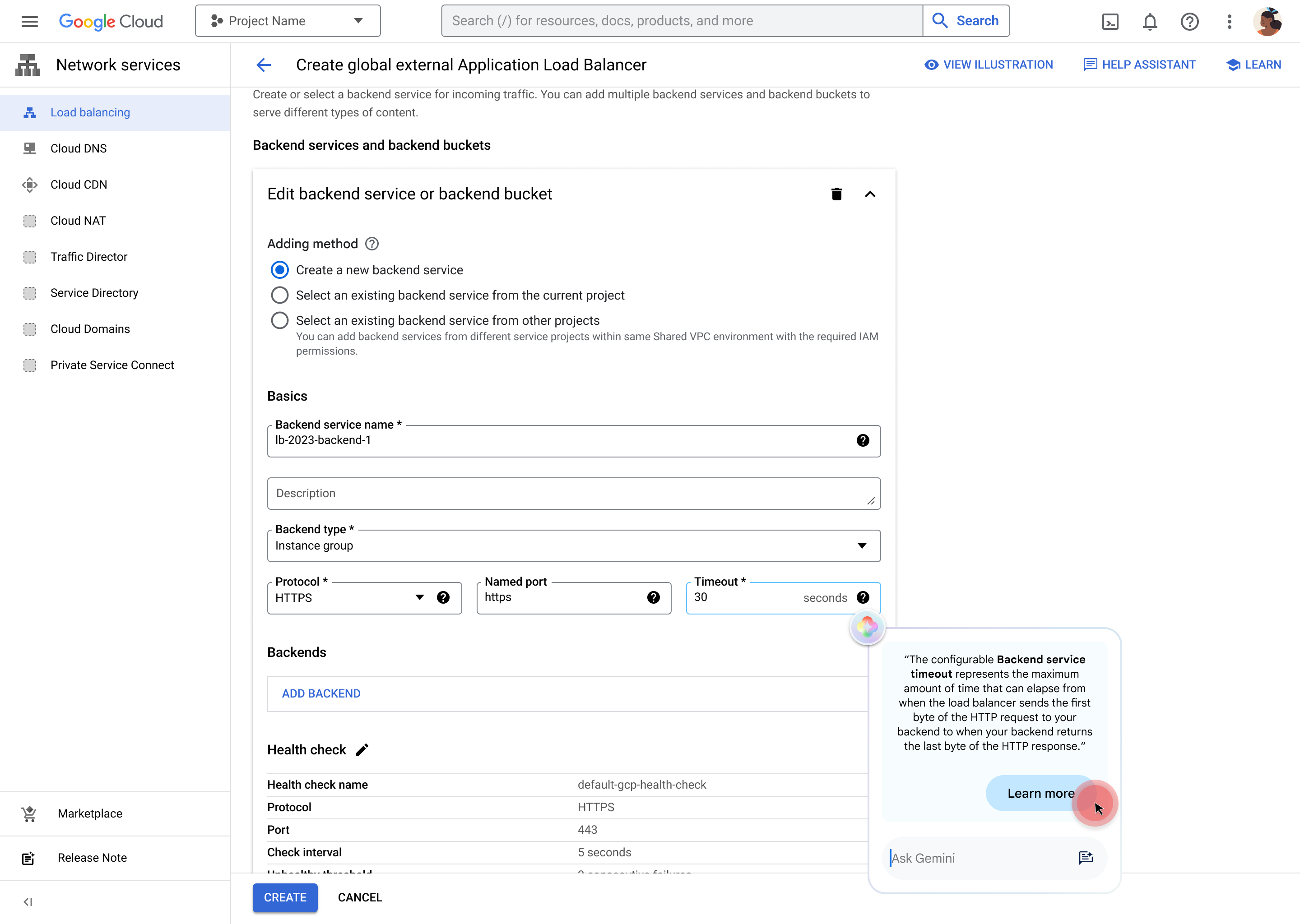
In the previous LB experience, users often had to switch between different languages to complete their configuration tasks, which was frustrating for both light and heavy users. For light users, lack of simple UI option hindered their ability to configure effectively. For heavy users, frequent language switching diminished their efficiency.
Task - Simplify multi-language views
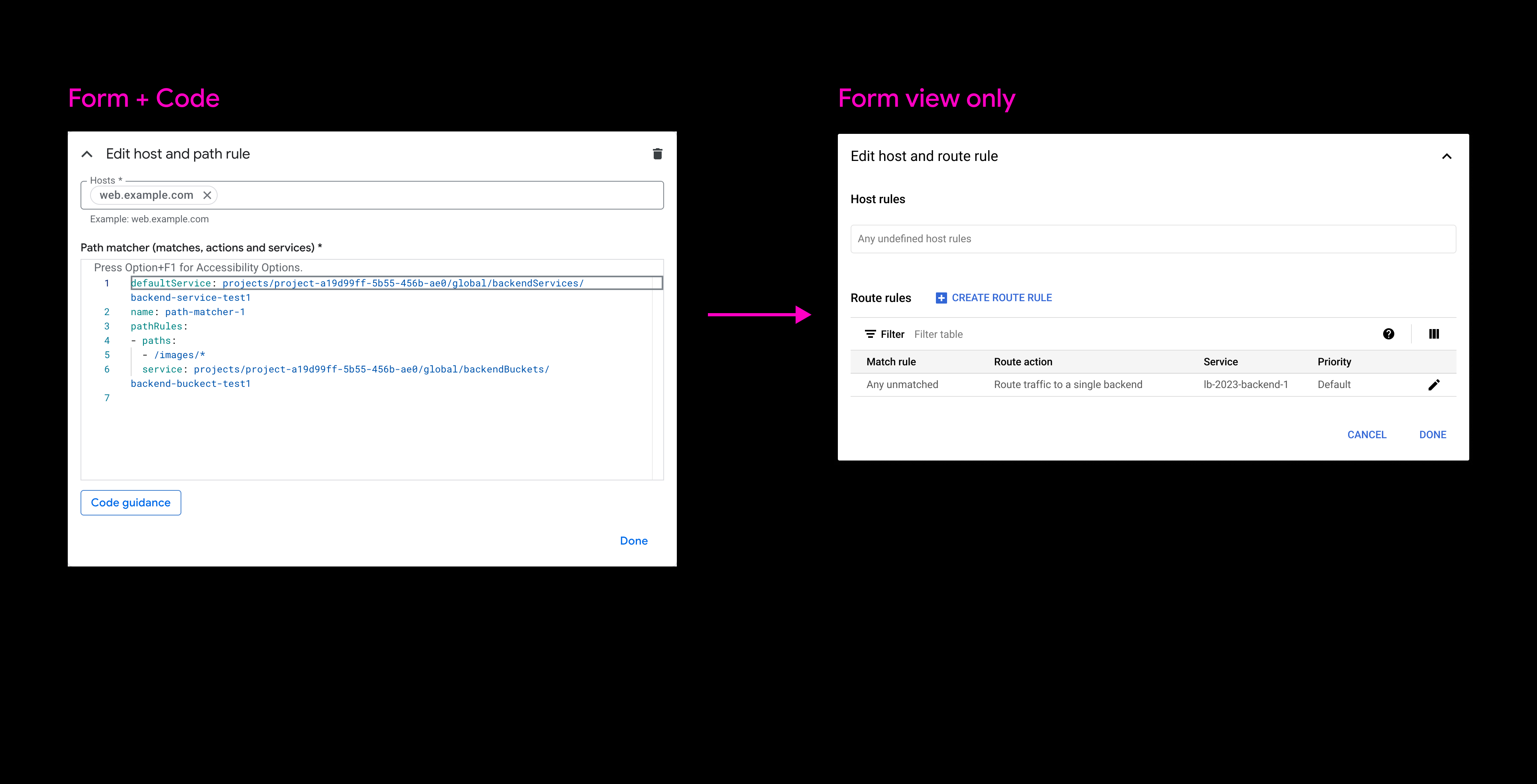
v1 exploration - Code -> Form
First exploration focused on replacing code view with simple form view.

πŸ‘
Translated abstract API code into visualized form representation.

πŸ‘Ž
Unable to support heavy use case and advanced functionalities.
v2 exploration - Form <-> Code
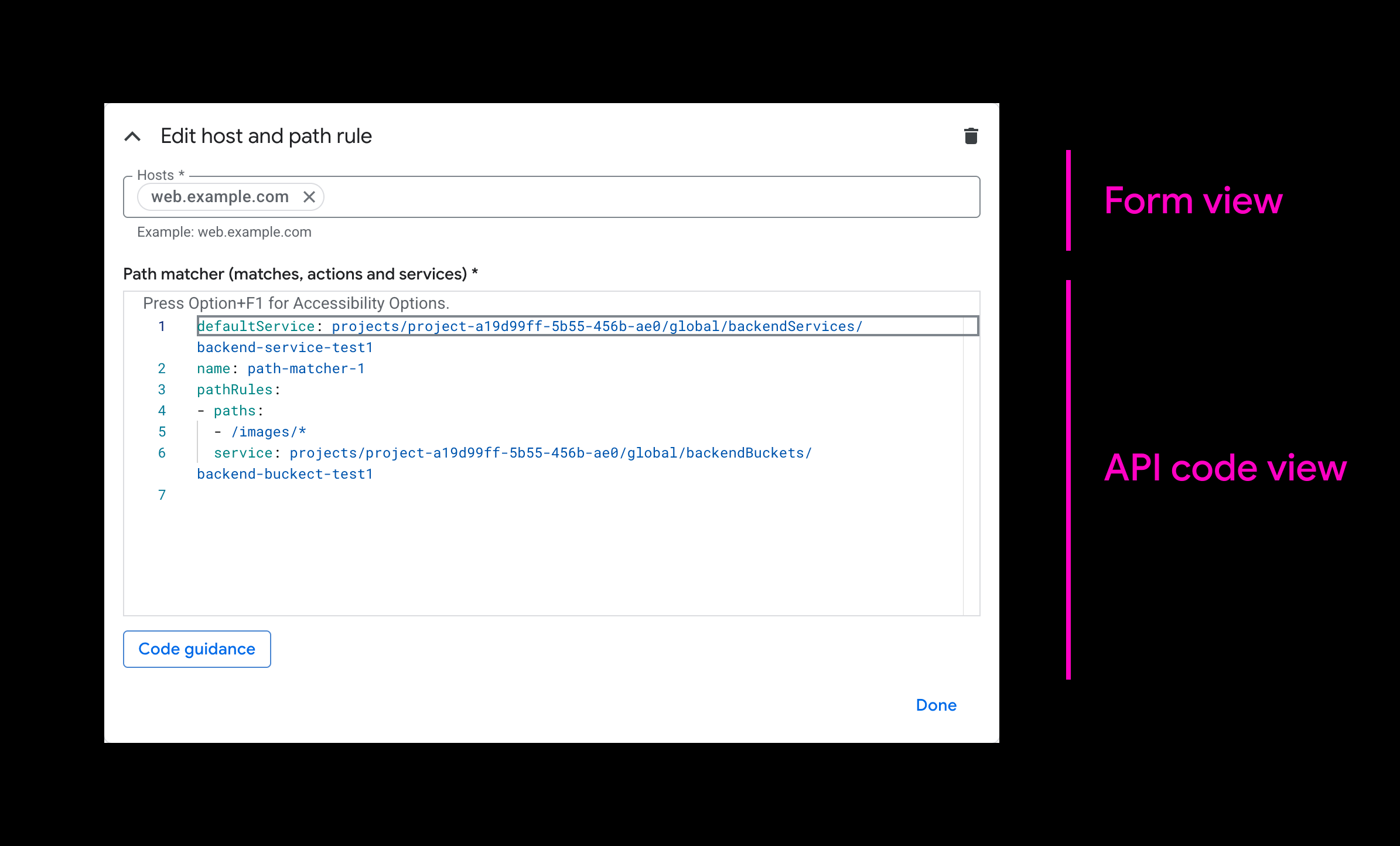
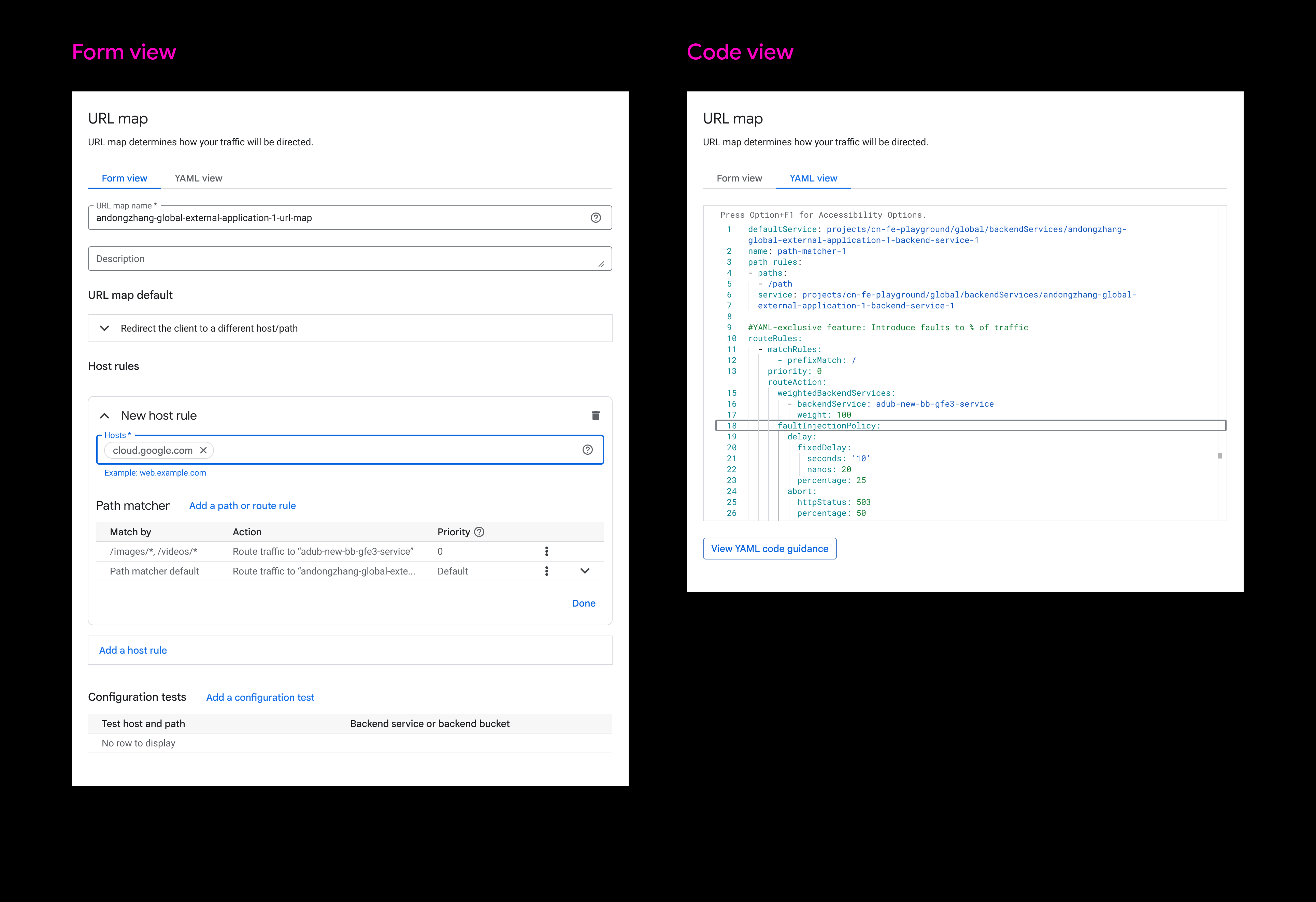
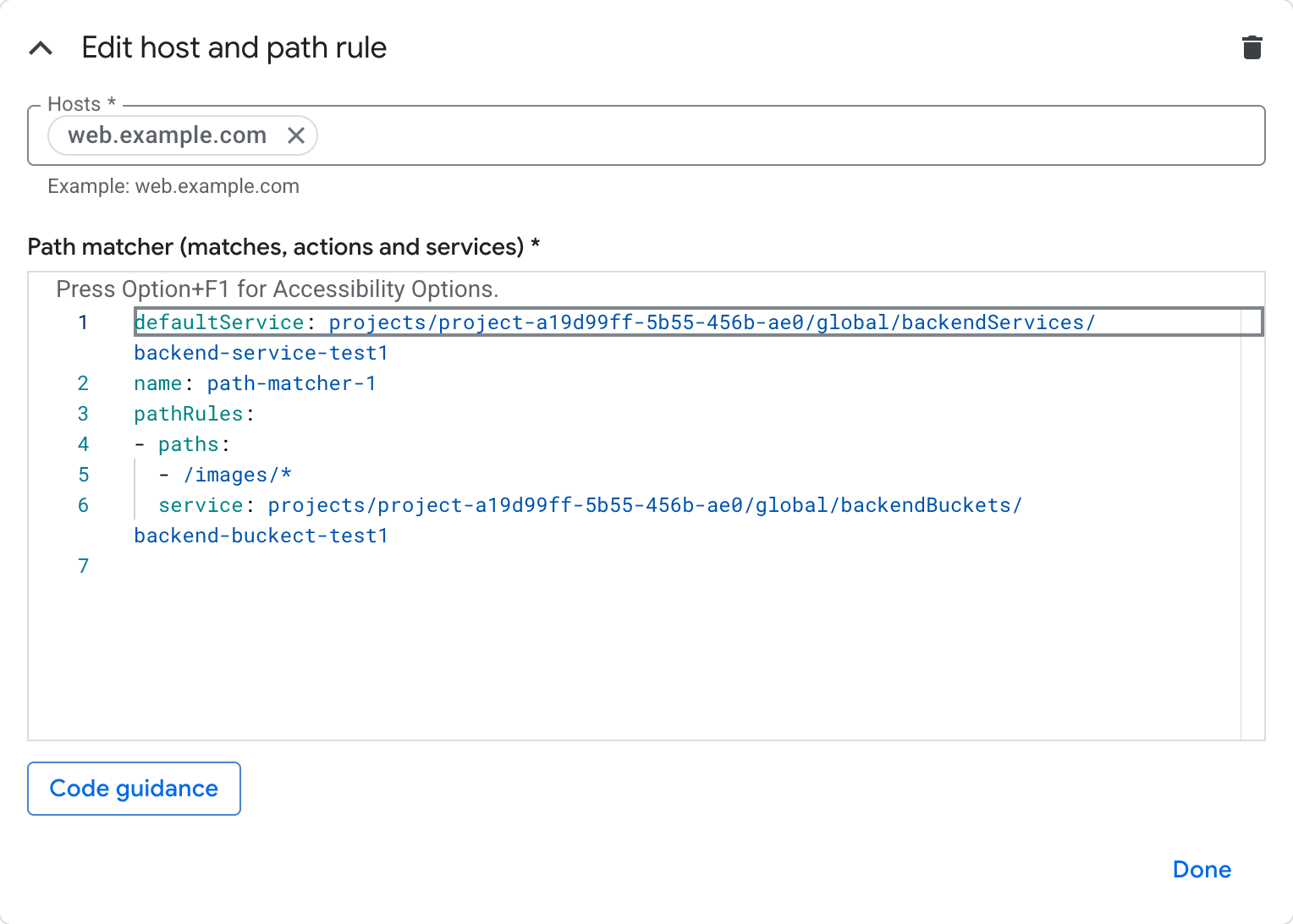
In this iteration, a view switch mechanism was introduced to support both light and heavy user needs:

🐣
Light users can rely on visualized form format for simple setups.
‍
πŸ‘¨β€πŸ«
Heavy users can focus on API code view for more detailed configurations.
Comparison - Before & after
Complexity challenge #3 - Page separation
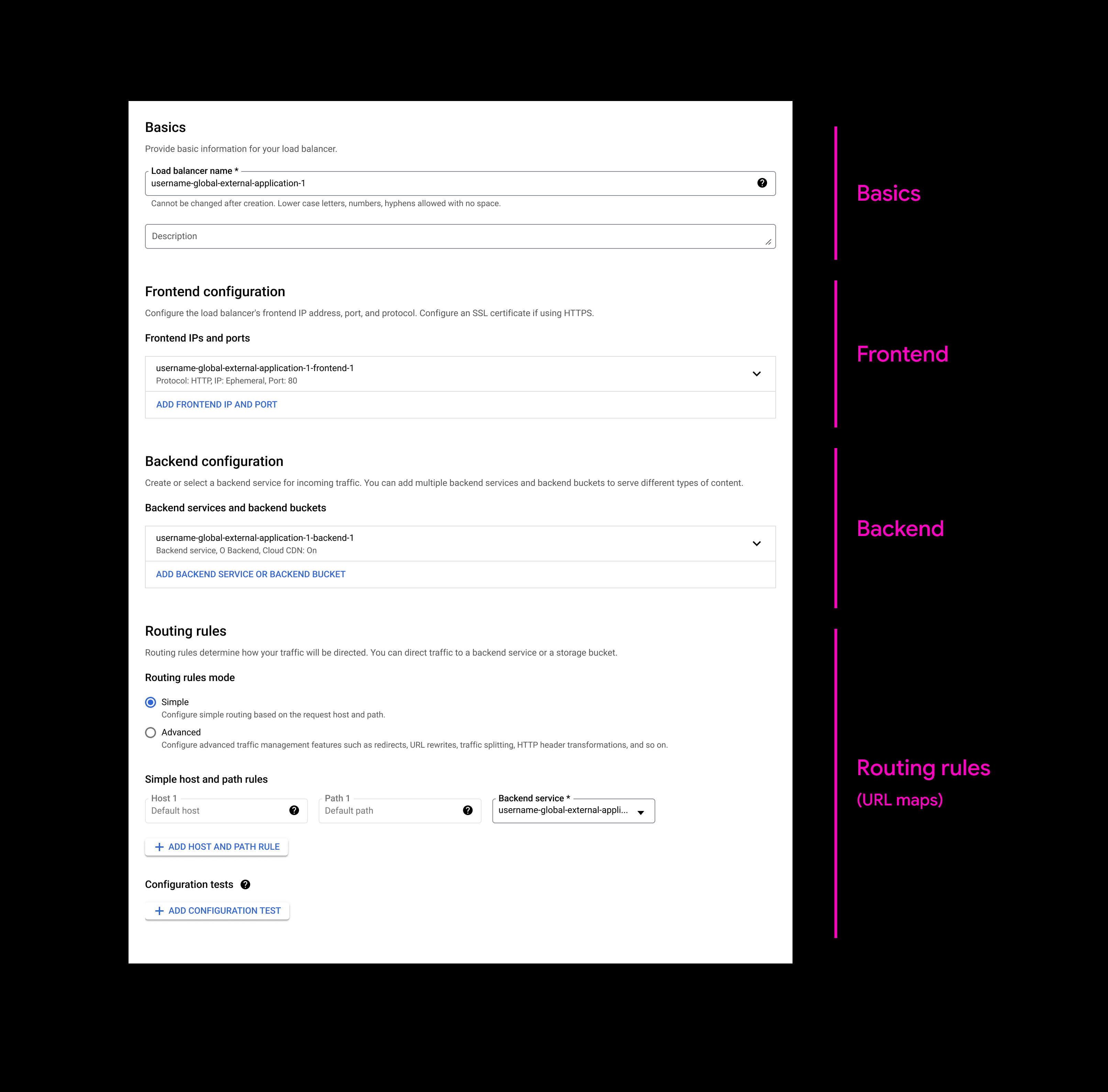
The previous design placed configuration modules on separate pages. Based on fundamental research, many users reported needing to frequently switch between pages to access desired results. These "cross-page jumps" disrupted the connection between configuration modules and prevented users from seeing the "big picture" of their configuration plans.
Task - Simplify cross-page experience
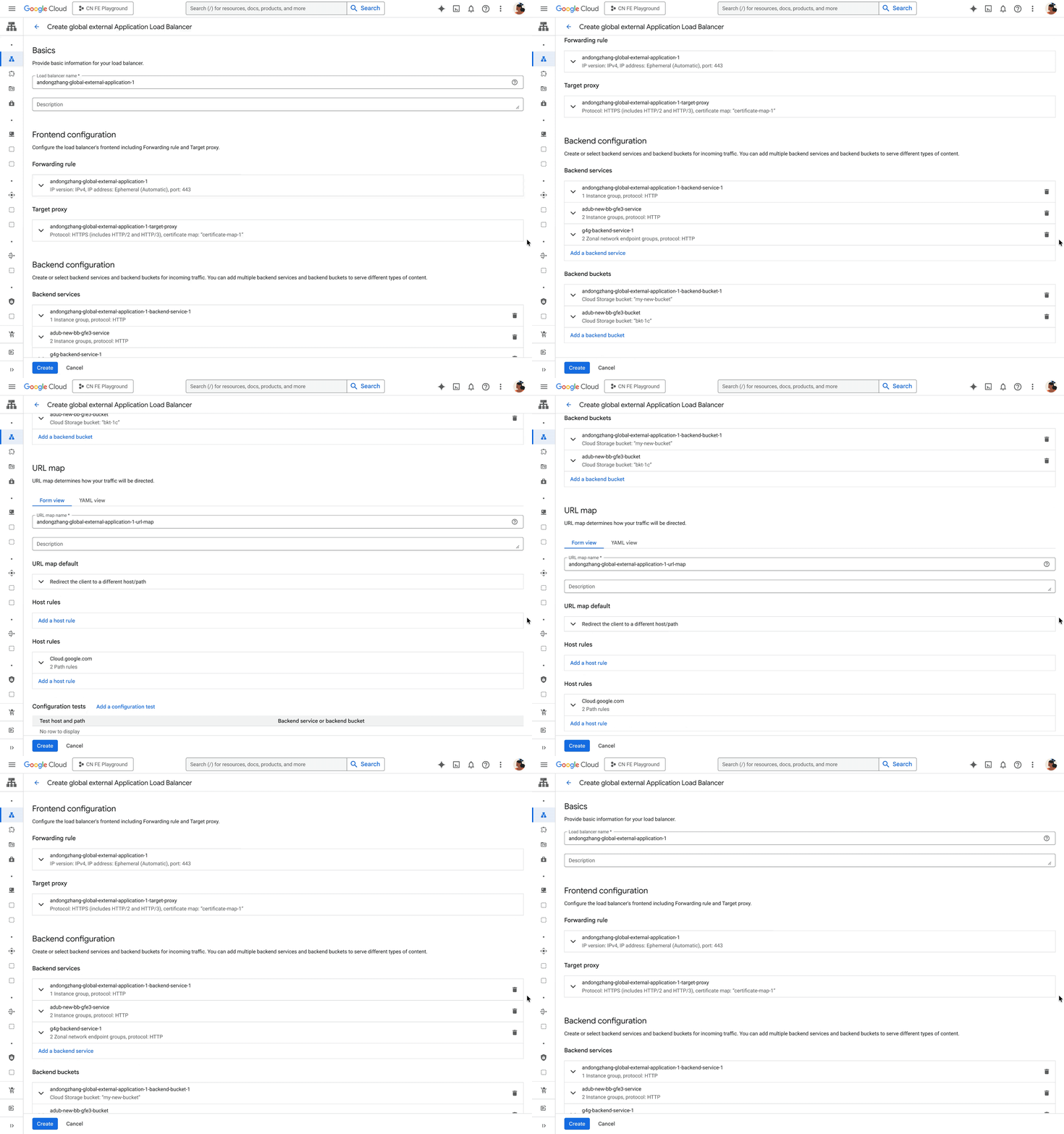
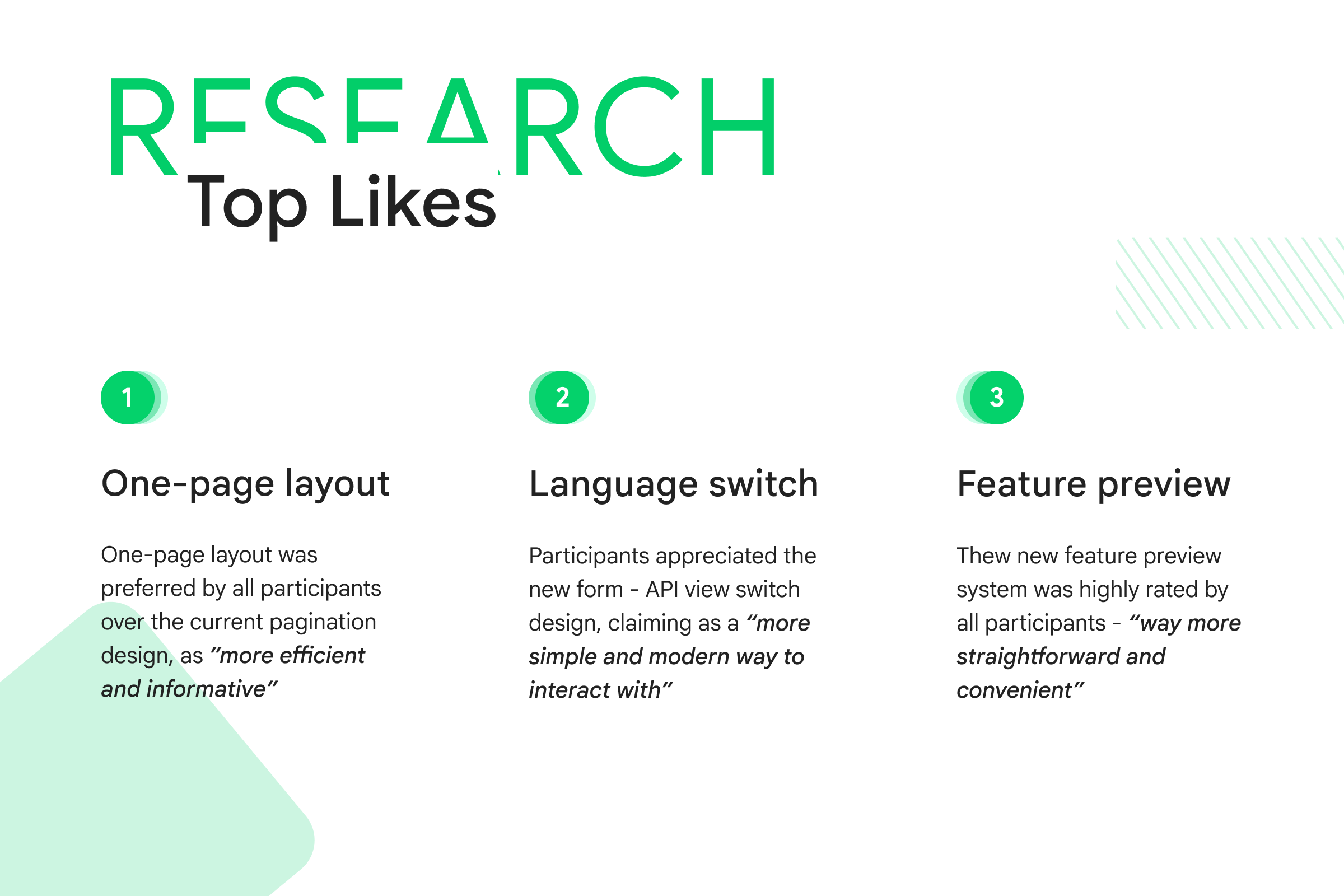
v1 exploration - One page layout
First exploration focused on replacing the previous stepper with one-page layout.

πŸ‘
Solved the "page jump" issue by presenting configuration overview in single page.

πŸ‘Ž
Most sections were too broad, requiring users to dive deeper to uncover essential decision-making indicators.
Finalize - Fine tune the details
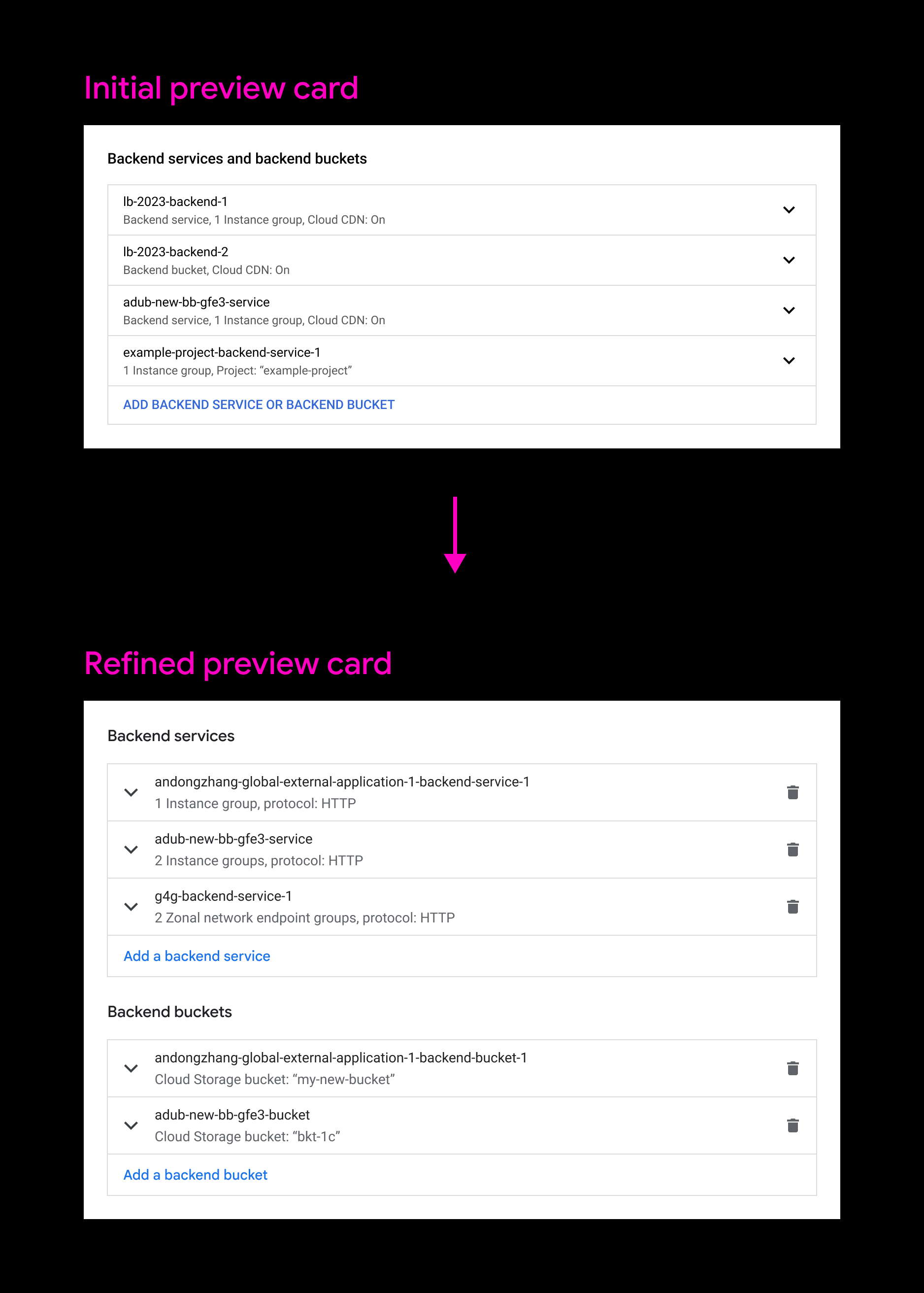
Preview card refinement - readability & interaction
As a key component of the new one-page layout, the initial preview card design received feedback for improvements in readability and interaction. I led the collaboration with the design system, accessibility, and content design teams to develop a clearer and simplified preview card pattern.
Comparison - Before & after
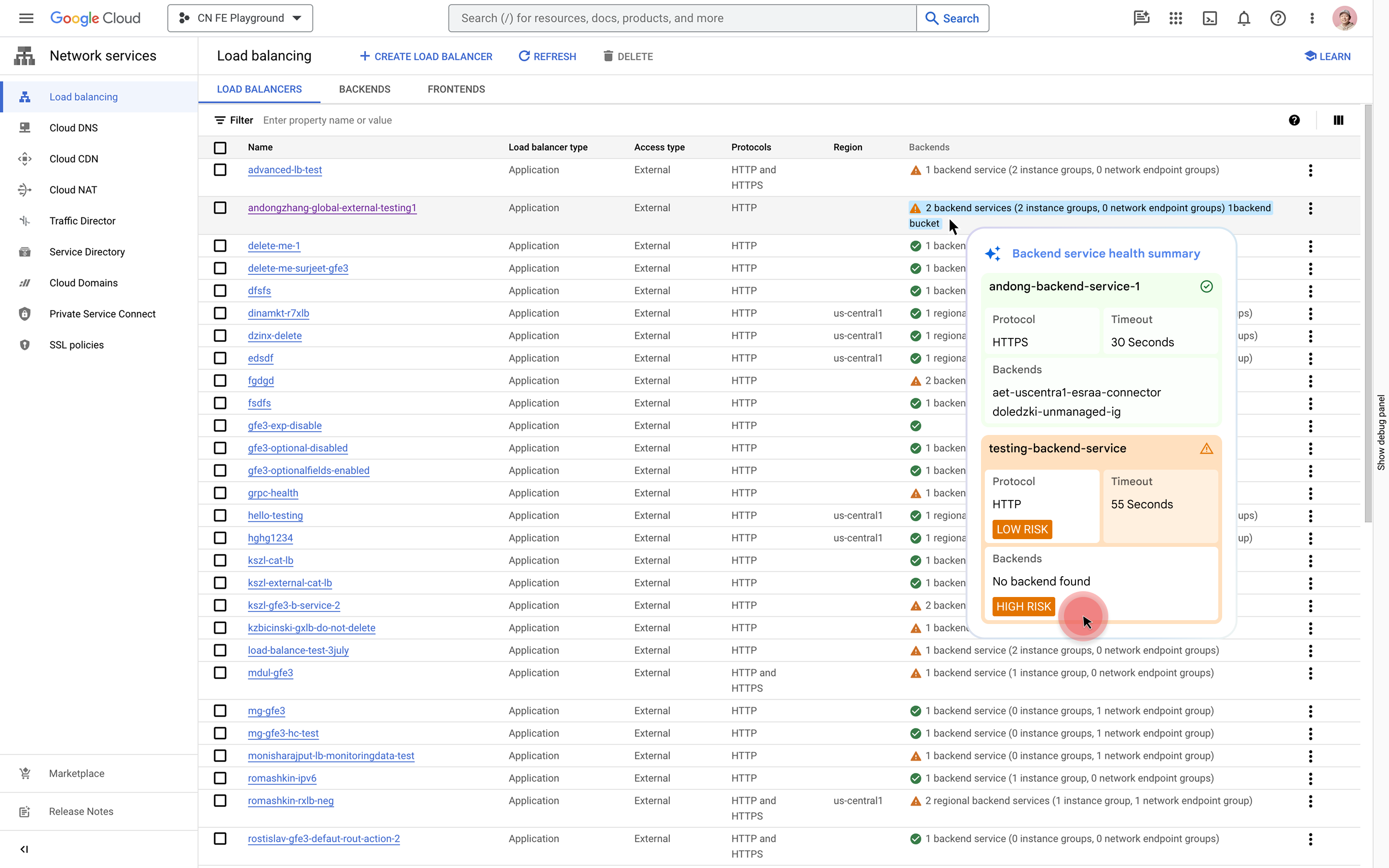
Vision - AI assistance
In addition to these 3 key highlights, LB team brought more AI capabilities to help enhance effiency throughout user's LB configuration journey including understanding, decision-making, troubleshooting, and automation.
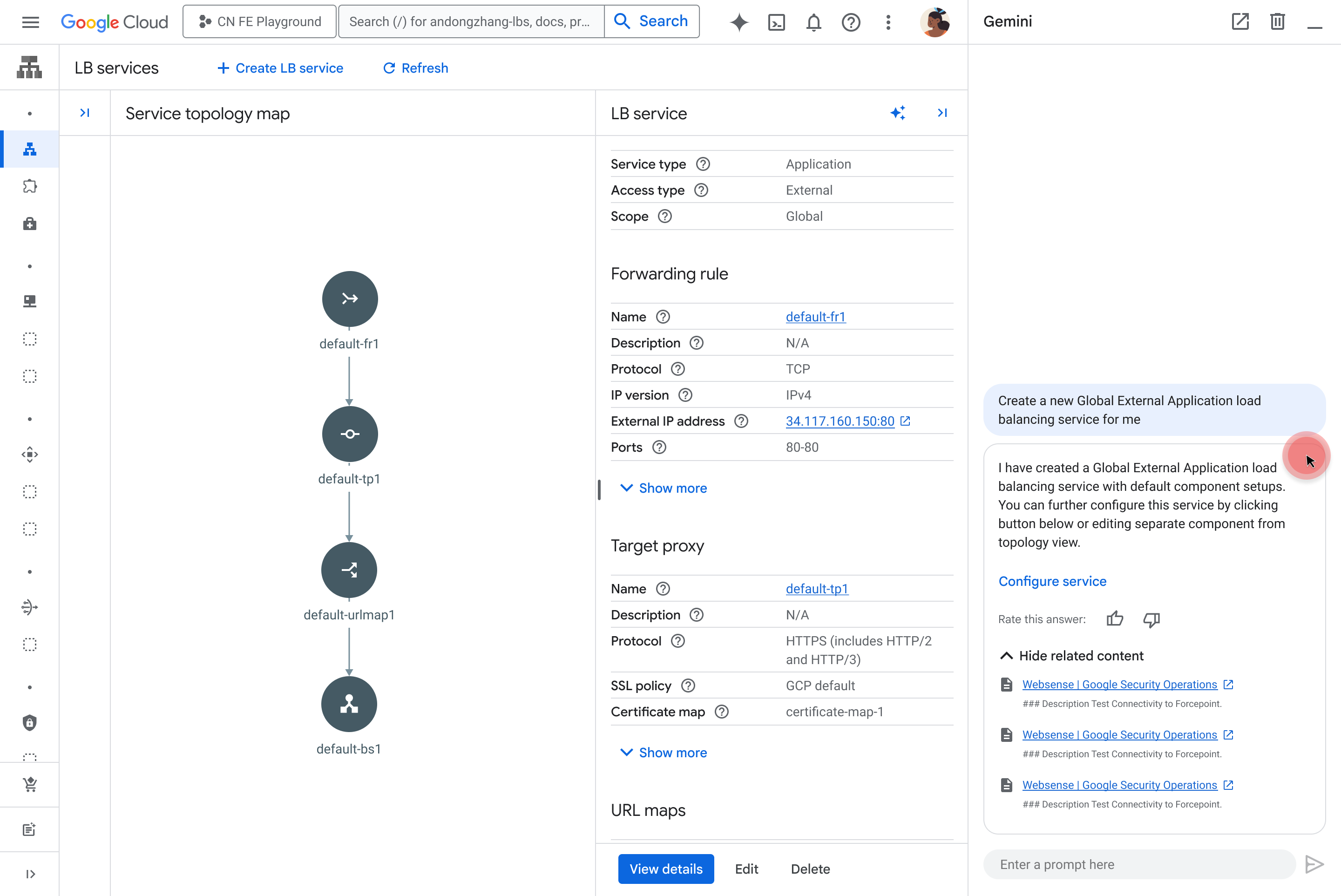
Automate - One click setup
AI unlocks a more scalable, reusable, predictable, and automated future for LB configuration. With a single click, AI can automatically create a reliable load balancing environment based on historical data and model recommendations.

Research & launch

Research findings - Opportunity heatmap
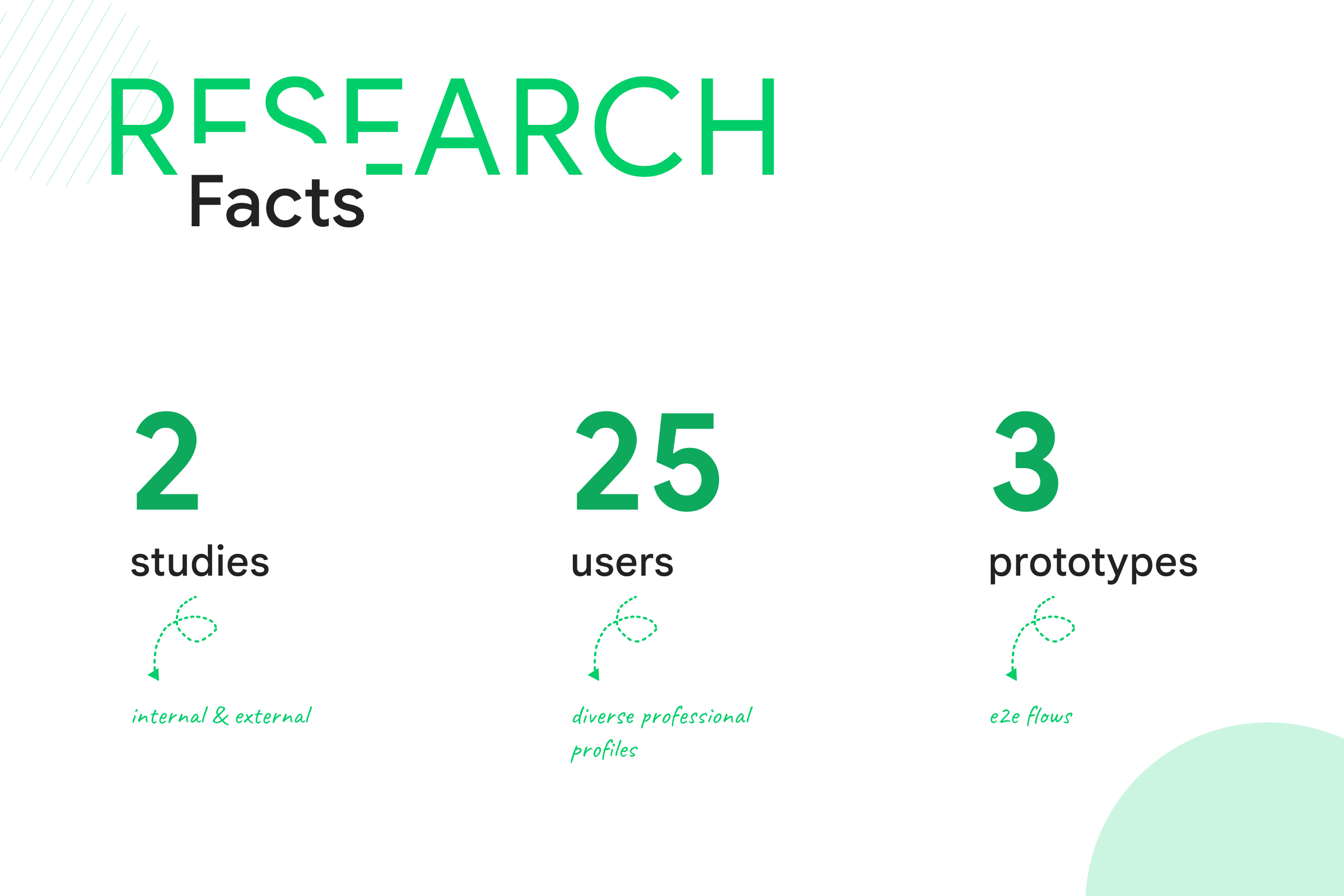
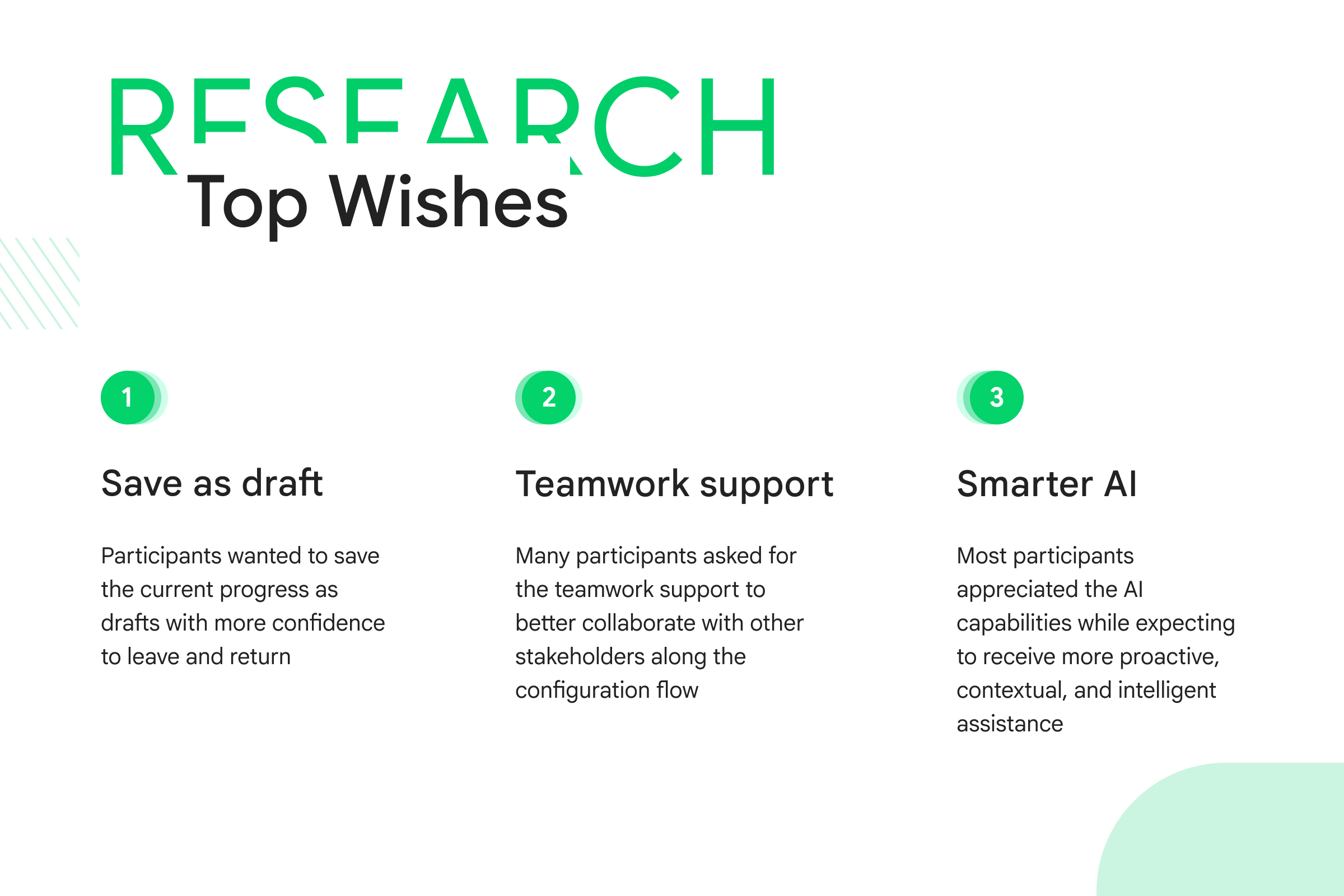
From these two user studies, I collaborated with my research partner to create an 'Opportunity Heatmap,' highlighting all identified opportunities based on their impact and the effort required to achieve them. This heatmap was instrumental in prioritizing action items and guiding our next steps.
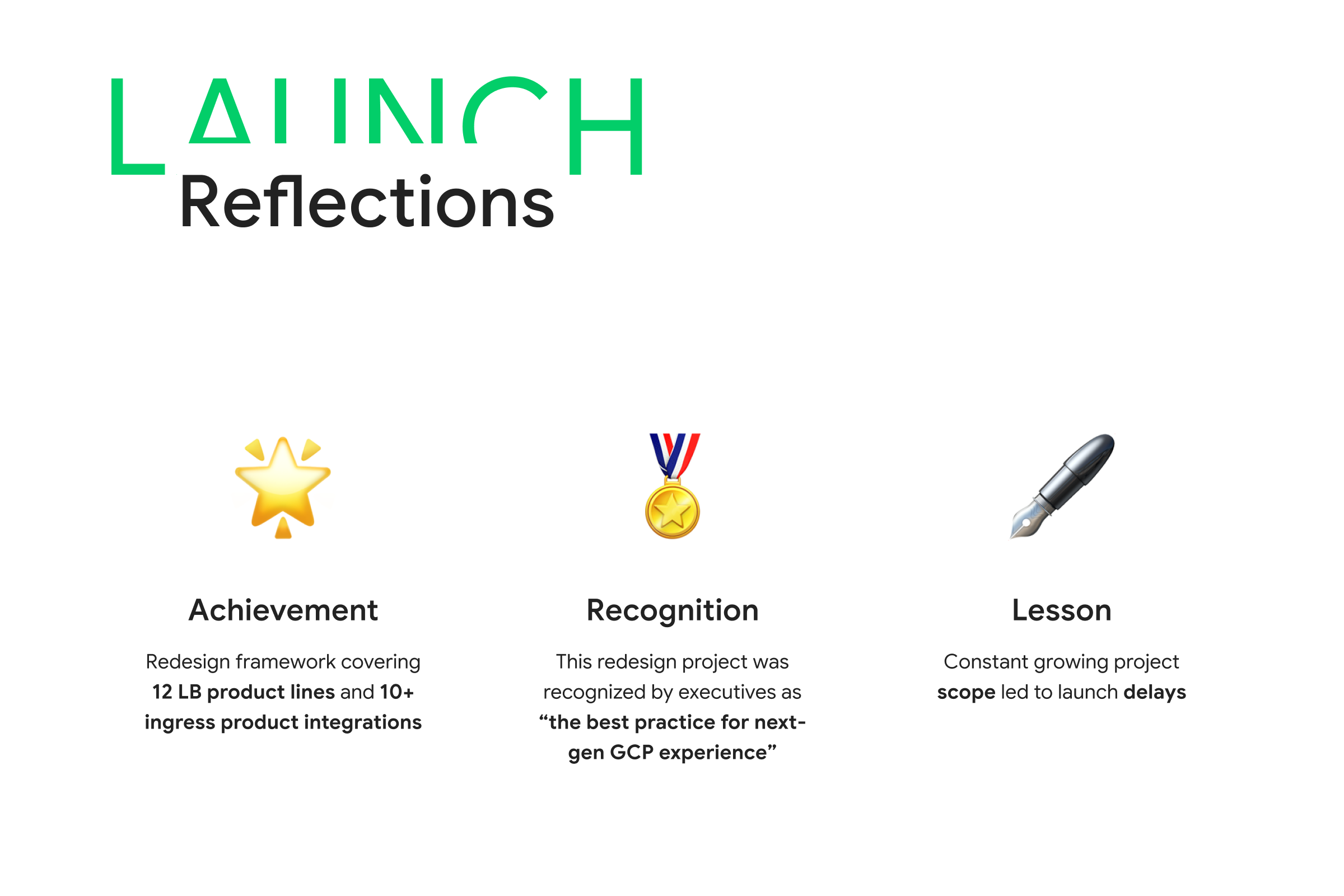
Launch - 2.5y XFN journey
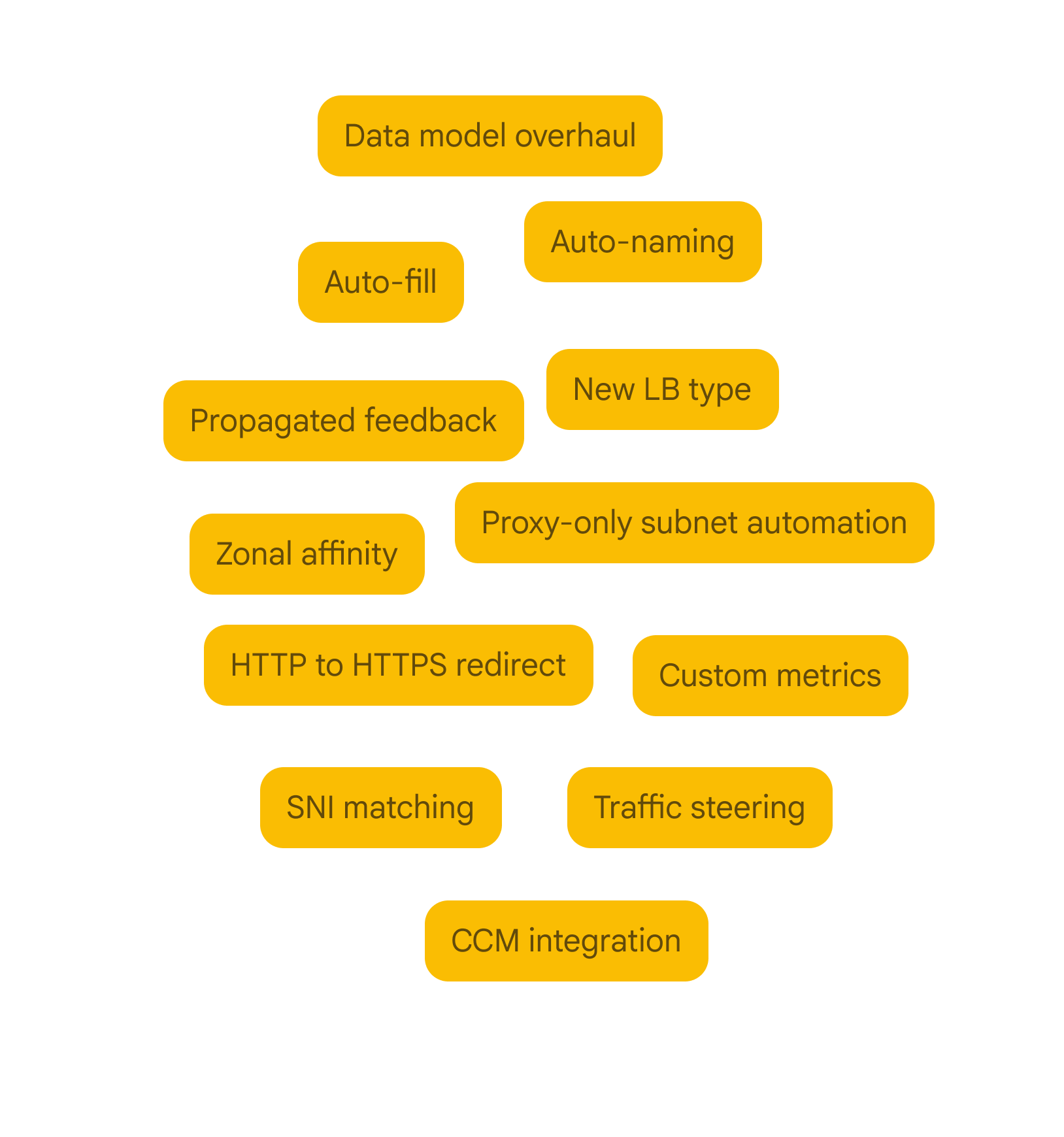
The LB redesign was an extensive project with numerous constraints and compromises, demanding exceptional project management skills. As the sole design lead of the 150-member team, I not only delivered high-quality design artifacts but also played a crucial role in uniting all stakeholders and motivating everyone to move forward at full speed. As a result, the LB team successfully launched the MVP of the new design within a 2.5-year timeframe.